Best apps to reduce food waste in 2026
An honest comparison of the best apps to reduce food waste, including Well Stockd, SuperCook, KitchenPal, Paprika, AnyList, NoWaste, and Pantry Check, so you can pick the one that fits your kitchen.
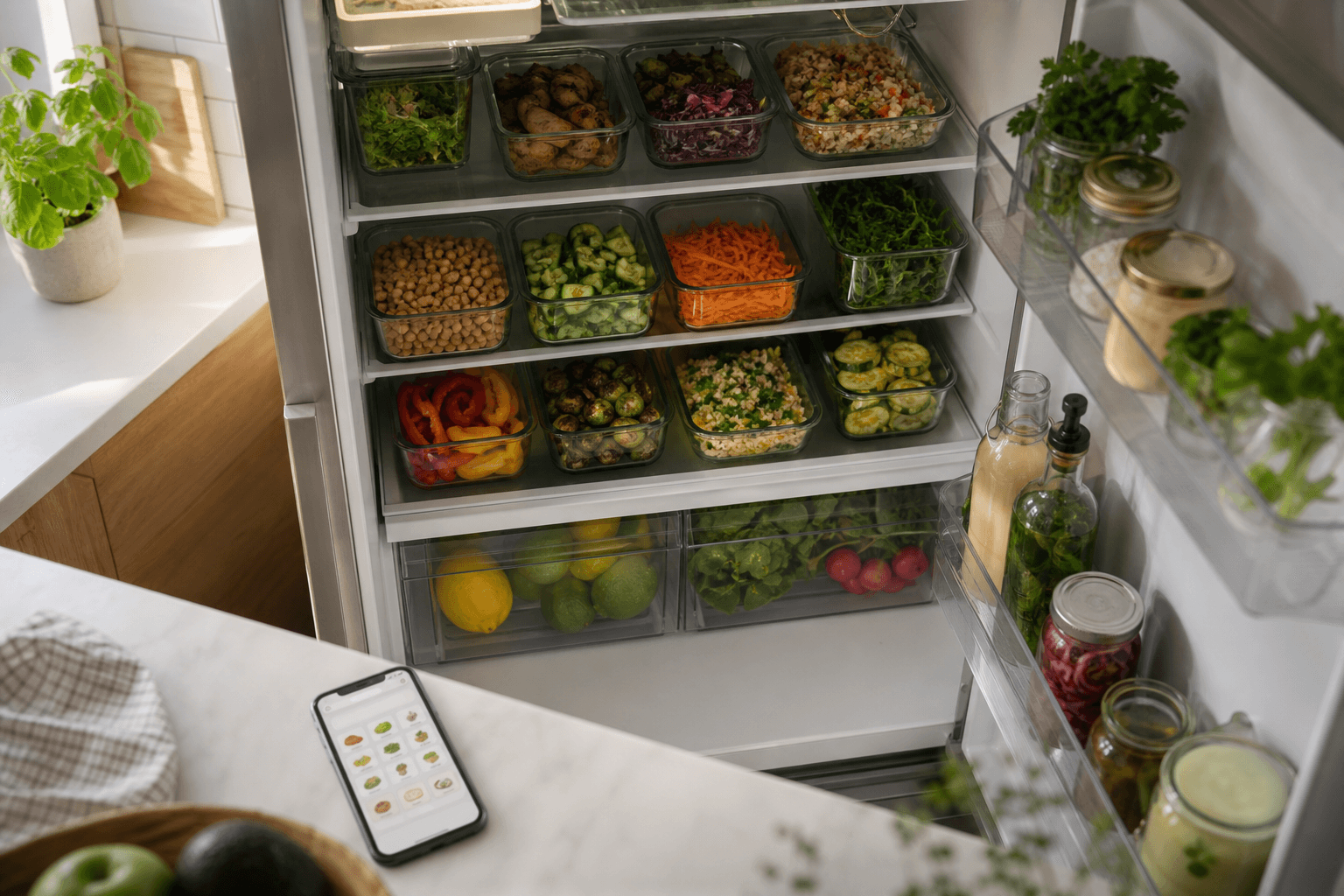
The app that does the most to reduce food waste in 2026 is Well Stockd, because it tracks what you actually have, warns you before it expires, and turns it straight into a recipe you can cook tonight. If you want a lighter, no-frills pantry list instead, KitchenPal is the honest runner-up.
Food waste is rarely a motivation problem. It is a visibility problem: you forget what is in the crisper drawer, so it turns to soup on its own. The scale of it is bigger than most people assume. The USDA estimates that 30 to 40 percent of the food supply in the United States goes to waste, and an EPA report puts the average cost of that waste at roughly $728 per person a year. It rarely disappears in one dramatic event. It goes bad two ingredients at a time, in the back of a fridge nobody checked in a week.
The apps below all attack that problem from a different angle, and none of them is wrong exactly, they just solve different slices of it. Here is what each one does, based on what the apps themselves publish, so you can pick the one that matches how you cook.
How we compared these apps
We looked at seven well-known food-waste and pantry apps plus Well Stockd, using each company's own app store listing, pricing page, and help documentation, checked on October 23, 2026. We scored every app on four things that decide whether it keeps food from going bad in practice, rather than just being pleasant to open once:
- Does it track what's in your kitchen, not just what you plan to buy
- Does it warn you before food expires, with real reminders rather than a static list
- Does it turn what's on hand into a recipe you can cook without a grocery run
- Can more than one person in the household add, remove, and check off items in real time
Everything here comes from what each company publishes, so treat the pricing and feature notes as a starting point and confirm current details on each app's own site before you subscribe to anything. Apps update their free and paid tiers often, and a feature that is free today can move behind a paywall next year, so a periodic recheck is worth the five minutes it takes.
Comparison table
| App | Free tier | Expiry alerts | Recipe match | Family sync | Starting price |
|---|---|---|---|---|---|
| Well Stockd | Yes, full cooking loop | Yes | Yes, from more than 3,800 recipes | Yes, real time (Pro) | Free / Pro $7.99/mo |
| KitchenPal | Yes, up to 100 items | Yes | Yes | Yes | Free / Premium from $3.99/mo, or $29.99 lifetime |
| Pantry Check | Yes, up to 200 items | Yes | No | Yes | Free / paid plans for more storage |
| NoWaste | Yes, one location; reminders on Pro | Yes | Yes (newer feature) | Yes, free household invites | Free / $6.99/yr |
| Paprika | Free on Android up to 50 recipes | Date field only, no alerts | No (recipe manager, not matcher) | Shared account in Paprika 3; family logins in the Paprika 4 open beta | $4.99 iOS, $29.99 Mac or Windows |
| AnyList | Yes | No | No (recipe box, not pantry match) | Yes, real time | Free / $9.99 to $14.99/yr |
| Mealime | Yes | No | Closed October 21, 2026 | Not applicable | None, the app has closed |
| SuperCook | Yes, fully free | No | Yes, huge recipe database | No | Free |
SuperCook
Switching from SuperCook? See how Well Stockd compares
SuperCook is the fastest way to answer "what can I cook with this" without downloading anything fancy. You type or speak the ingredients you have, and it searches an 11 million-plus recipe database pulled from cooking sites around the world. Its pantry list covers more than 2,000 ingredient categories, and a voice-dictation mode lets you rattle off what's in the fridge out loud instead of typing each item. It is completely free, with no subscription anywhere.
The catch is that SuperCook remembers only ingredient names. Its saved pantry does not track quantities or expiry dates, and there is nothing to share with a partner or roommate. It is a great quick lookup tool, weaker as a system for preventing waste over weeks and months.
KitchenPal
KitchenPal is the closest thing to an all-in-one pantry app on this list. Its free tier holds up to 100 items, and once one person buys Premium, family members are upgraded at no extra cost (KitchenPal FAQ). It covers pantry, fridge, and freezer inventory, barcode scanning, expiry alerts, recipe suggestions built from what is expiring soonest, and automatic shopping list additions when something runs out. For anyone who dislikes subscriptions on principle, it also offers a $29.99 lifetime purchase for its premium features instead of a recurring plan.
The trade-off is manual entry. Every item goes in by scanning a barcode or typing it yourself, and like any barcode-first app, homemade leftovers, farmers market produce, and anything without a UPC code need a workaround. If you like the idea of scanning your way to an organized kitchen, KitchenPal is a fair, low-cost place to start.
Paprika
Switching from Paprika? See how Well Stockd compares
Paprika is a recipe manager first, and a very good one: it clips recipes from almost any website, scales servings, and works fully offline across phone, tablet, and desktop, which makes it a favorite for cooks who want their recipe box available without wifi in the kitchen. Its pantry feature lets you log quantity, purchase date, and expiration date per item. It can sort the pantry by expiration date (Paprika help).
What it will not do is nudge you. There is no push notification when something is about to go bad, so the pantry list only works if you remember to open it. Paprika is also a one-time purchase per platform rather than one subscription, so full cross-device coverage costs more than it first appears. It is best for someone who already loves collecting recipes and wants a bonus pantry list, not someone who needs to be reminded.
AnyList
Switching from AnyList? See how Well Stockd compares
AnyList is built around one thing it does extremely well: a shared shopping list that updates in real time as different people check items off, which is a real help for families splitting up a shopping trip. It also stores and organizes recipes, can build a meal-planning calendar in its paid Complete tier, and on Complete lets you add prices to items as you shop to see a running total (AnyList Complete).
It is not built to answer "what is about to expire in my fridge." There is no dedicated expiration-date tracking and no feature that matches recipes against what you currently have on hand, since its recipe tools are about storing recipes you already chose, not surfacing ones from your inventory. If your food waste problem is more about duplicate purchases and disorganized lists than about produce quietly expiring, AnyList solves that half well.
Mealime
Switching from Mealime? See how Well Stockd compares
Mealime closed on October 21, 2026, so it is no longer an option. Its strength was removing the blank-page problem of "what do I cook this week" with a guided weekly plan and an automatic shopping list. Mealime said its recipes would continue in Meals Hub, inside Albertsons Companies store apps (Mealime's closing notice).
It planned forward from a menu, not backward from your fridge, so it was not built to track what you already owned. If you used it, our Mealime switching guide covers what you can still bring with you.
NoWaste
Switching from NoWaste? See how Well Stockd compares
NoWaste is squarely built around the problem this whole list is named for: you log what enters your kitchen by barcode, receipt, or photo, sort or filter it by expiration date, and, on Pro, get reminders a chosen number of days before expiry at a time you pick (NoWaste). It can also suggest recipes from what is currently in stock.
The free plan covers pantry, fridge, and freezer lists for one location, and NoWaste publishes no item cap for it. Pro is $6.99 a year, modest as subscriptions go, and adds unlimited items, expiry reminders, and up to 20 locations. Household members can be invited for free, so a shared kitchen works on either plan.
Pantry Check
Switching from Pantry Check? See how Well Stockd compares
Pantry Check leans into convenience: it estimates prices and expiration dates automatically so you spend less time typing, and its real-time family sharing means everyone in the house sees the same inventory update the moment it happens. You can also organize items by custom locations, so a garage freezer and a kitchen fridge do not get lumped into one long list. The free tier tracks up to 200 items, which covers a lot of households, and a barcode scanner speeds up entry further.
Where it thins out is recipes. Pantry Check is built to tell you what you have and what you are running low on, not to suggest what to cook with it, so pairing it with a separate recipe app or habit is part of the deal. Manual date entry can also be slow when the automatic estimate misses an item.
Well Stockd, where it wins and where it does not
Well Stockd closes the full loop. It tracks what is in your fridge, pantry, and freezer with expiry dates, matches that inventory against a catalog of more than 3,800 recipes to show what you can cook right now, and suggests substitutions when you are one ingredient short (a frozen or canned version of what you have, or a reasonable swap). On the free plan, you add food by typing it in, scanning barcodes one after another with one review of the batch, photographing a receipt, forwarding a receipt or Walmart order email, or using a limited number of voice fills each month. Pro raises the voice allowance: you press the mic, walk the kitchen, and say what you see, and it works for homemade leftovers and loose produce just as well as for packaged goods. Pro also adds auto-planning, which fills the week from what is already stocked (Free plans the current week by hand), plus real-time household sharing, so a partner adding groceries updates what the other person sees immediately. Tracking, recipe matching, substitutions, and shopping lists are free forever.
There are real trade-offs, too. Barcode lookups use a community catalog, so some products come back with no match, and some people simply prefer typing to talking. A larger voice allowance, auto-planning and planning ahead, and household sharing all sit behind the $7.99-a-month Pro plan, though every new account gets 7 days of Pro once its email is confirmed, with no card required, to try them first. And because the recipe matching is tied to Well Stockd's own catalog rather than an open web search, you are working from thousands of curated recipes instead of millions of results scraped from across the internet. It is a smaller pond, but one you can realistically keep stocked. For a deeper look at how the expiry side works day to day, see our guide to a fridge, pantry, and freezer inventory app with expiry reminders, and if recipe matching is your main draw, our piece on an app that tracks food in your fridge and suggests recipes goes deeper on that side.
Stacked up against the field above, Well Stockd comes out on top for anyone who wants one app to handle the whole cycle instead of stitching together a shopping list app, a recipe app, and an expiry reminder. It is not automatically the right pick if all you want is a fast, no-account recipe lookup like SuperCook, or if barcode scanning is a hard requirement for you.
Which app should you choose?
- Well Stockd fits if you want one app for the whole job: tracking, alerts, recipes, and a shared household list.
- KitchenPal fits if you want a free, barcode-first pantry tracker and do not mind entering items by hand.
- Paprika fits if you already collect recipes and want a pantry list bolted on, as long as you remember to check it yourself.
- AnyList fits if your main pain point is a messy, duplicated shopping list with a partner.
- SuperCook fits if you just need tonight's dinner idea from three random ingredients and do not want to install anything permanent.
- Mealime used to fit if you wanted a guided weekly plan, but it closed on October 21, 2026.
- NoWaste or Pantry Check fit if you want dedicated, tunable expiry reminders and do not need deep recipe suggestions.
Whichever you land on, the app that reduces waste is the one you actually keep open. For a broader look at picking a system that fits your kitchen, our pantry inventory app comparison walks through more options, and our full app to track food expiration dates breakdown digs further into the expiry-alert side specifically.
Plan the week from what is already there
Knowing what you own is the setup. The payoff is the week: the planner fills Monday to Sunday from the food already in your kitchen, and the shopping list writes itself from whatever is still missing. You stop deciding dinner at five o'clock, and the thing closest to its date gets cooked first instead of thrown out on Sunday. Planning the current week by hand is free; auto-planning, planning further ahead and building the list from the plan are part of Pro, $7.99 a month or $79 a year, with a 7-day trial and no card. The catalog, the inventory and the shopping list stay free.
Plan next week from your own shelves. Free for 7 days, no card needed. Start the free trial
Frequently asked questions
Is there a completely free app to reduce food waste? Yes. SuperCook, KitchenPal, Pantry Check, AnyList, NoWaste, and Well Stockd all have usable free tiers, though what is included free varies a lot, so check the comparison table above before assuming "free" means the same thing on every app.
Do food waste apps actually work? They work as well as the habit behind them. An app that requires barcode scanning or typing every item tends to fall off after a few weeks unless entry is fast; apps that lower the friction of logging what you have, or that nudge you before things expire, tend to stick longer and save more.
Which app is best for a family that shares a kitchen? KitchenPal, AnyList, Pantry Check, and Well Stockd all support real-time sharing so more than one person can update the same inventory or list. Mealime, which once allowed sharing, closed on October 21, 2026.
Do I need a barcode scanner for any of this to work? No. Barcode scanning speeds up entry on apps like KitchenPal, NoWaste, and Pantry Check, but it is optional on most of them, and on Well Stockd it is a batch scan with one review, next to receipt photos, typing and voice input. SuperCook and Paprika 3 do not use barcodes at all; the Paprika 4 open beta adds pantry barcode scanning on mobile.
Competitor prices and features checked October 23, 2026.
Track it in Well Stockd
Add what you have, see what you can cook tonight, and get a reminder before anything goes off.
