Best app to track food expiration dates (2026): 8 compared
An honest comparison of eight food expiration tracker apps, with the real trade-offs, and a look at what adding your first three foods to Well Stockd actually does.
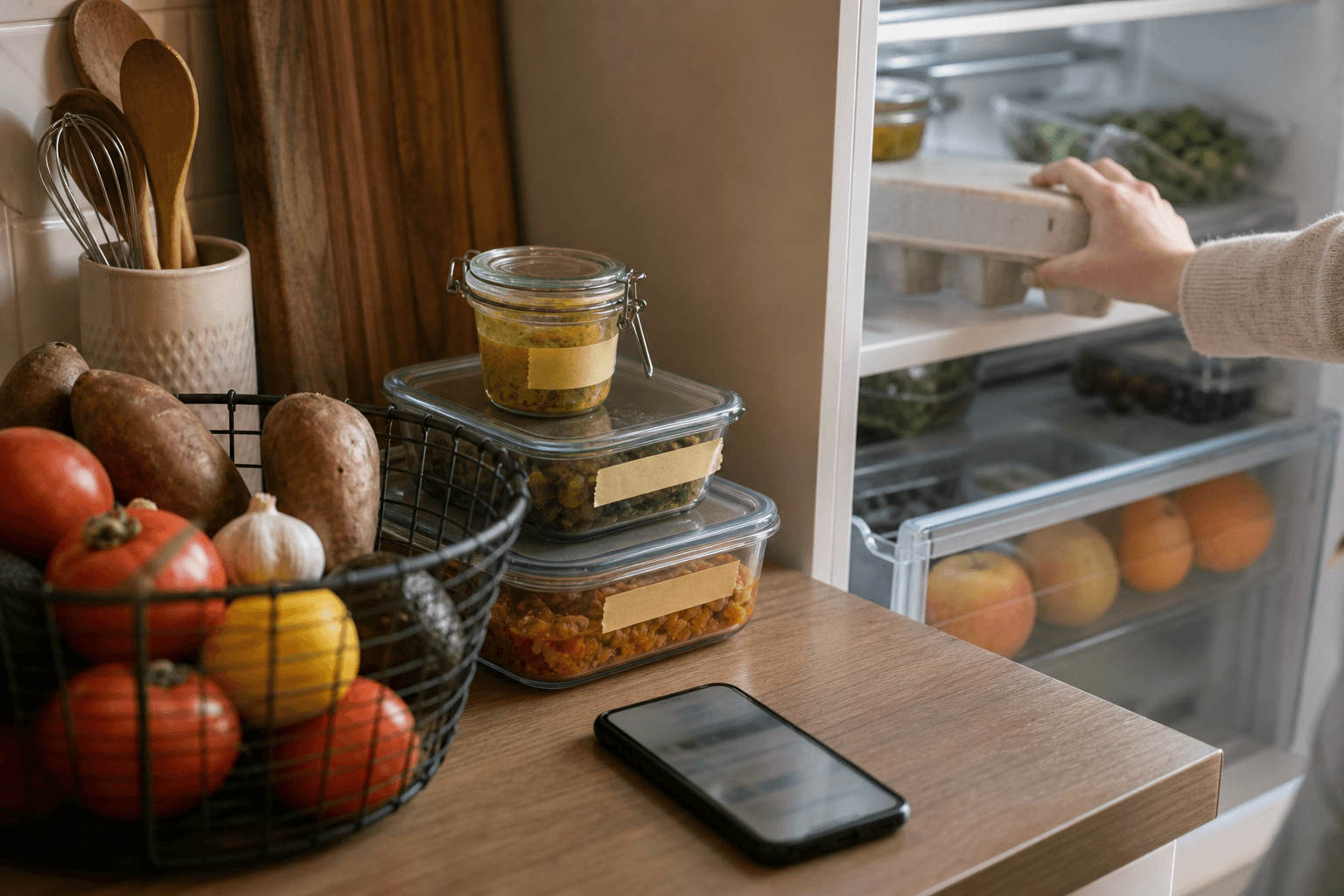
Well Stockd is the best app to track food expiration dates in 2026 if you also want to know what to cook before the food turns: it sorts what you own by what needs using first and matches it to a 3,800+ recipe catalog, free, with no card required. For an app built only around expiry push alerts, NoWaste is an honest runner-up.
"Track expiration dates" means different things to different households. Some people just want a phone buzz three days before the milk turns. Others want the app to also tell them what to cook with the chicken thighs before they go south, and a few just want one shared list the whole family can check from the grocery store. Most of the apps below are genuinely good at one piece of that puzzle and thinner on the rest, which is why the comparison matters more than any single app's own feature page. Whether you call it an expiration date app or a food expiry tracker, the table is the quick way to sort them, and the section after it shows what adding your first foods to Well Stockd looks like.
Expiration date tracker apps compared at a glance
| App | Free tier | Expiry alerts | Recipe match | Family sync |
|---|---|---|---|---|
| Well Stockd | Full inventory, shopping list, Walmart cart and cook mode, free, no card needed | In-app expiry view, sorted by what is going first, plus email reminders on by default once you confirm your email, and opt-in browser push | 3,800+ recipe catalog matched to what you have, with substitutions | Pro only ($7.99/month or $79/year), one subscription covers the household |
| SuperCook | Fully free, no paid tier at all | None | Matches 11 million or more recipes to your pantry list | Not built for shared households |
| KitchenPal | Free, and upgrades apply to the whole family | Automatic detection plus alerts before food expires | Basic suggestions from what is in your pantry | Built in, and free |
| Paprika | Free up to 50 recipes with no sync; paid version is a one time purchase per platform | Pantry list only, no automatic alerts | None, it is a recipe manager, not a matcher | Same login shared across devices, not true multi account sync |
| AnyList | Free version, plus Complete at $9.99/year solo or $14.99/year household | Not a built in feature | Recipe collection and shopping list building, no pantry matching | Real time shared lists, one of its strongest features |
| Mealime | Free with an optional Pro subscription for extras | None | Recipes come from a meal plan, not from your pantry | Limited, no dedicated household account |
| NoWaste | Free for up to 500 items and 6 lists; Pro is roughly $6.99/year | Strong, plus receipt and barcode scanning | Basic "what to cook" suggestions | Syncs an inventory with a partner or roommate |
| Pantry Check | Free to track up to 200 items; paid tiers add storage | Automatic expiration reminders | Not a core feature | Real time family sharing |
Looking at the table, the eight apps really split into three camps. SuperCook and, to a lesser degree, Mealime are recipe-first: they start from what you could cook and work backward. KitchenPal, NoWaste and Pantry Check are inventory-first: they start from a dated list of what is in your kitchen and build outward from there. Paprika and AnyList are list-first: strong at organizing recipes and shopping, lighter on tracking what is already at home. Well Stockd is the one app trying to sit across all three at once, which is also exactly where its own trade-offs show up.
What happens when you add three foods to Well Stockd?
A table shows what each app says it does. We build Well Stockd, so here is what it does with your first three foods, in order. On a new account with an empty kitchen, the dashboard opens with a card titled "Add three things from your fridge."
- Name three foods. Type your own, or tap one of the quick-add suggestions: Leftovers, Milk, Eggs, Chicken breast, Yogurt, Spinach or Cooked rice.
- Check the dates. When the app has a shelf-life estimate for a food, it fills in a use-by date as you type and says so: "Estimated from typical shelf life. Tap a date to set your own." Tap Tomorrow, 3 days or 1 week, or pick a calendar date, if you know better. If it has no estimate for a food, it asks you for a date when you save.
- Tap "Save to my kitchen." Each row confirms the date it stored, and an estimated date is marked "(est.)".
- Read your "Use first" list. Once three foods have dates, the card turns into a list of those foods with the soonest date at the top.
- Tap "See what you can cook." That opens the recipe catalog, where you can filter to what you can make now and see what the closest recipes are missing.
- Open the dashboard later. Its "Use soon" card lists up to three foods due within a week or just past their date, most urgent first, with labels like "Use today" and "Tomorrow", and it marks estimated dates as estimates. Tapping a food opens recipes that use it.
The "Use first" card also has an email reminder for the day before something needs using. If you have not confirmed your email yet, it asks you to do that first, and you can change or turn off the emails in Settings. The features page shows captures of the working app if you want to look before you sign up.
Add three foods from your fridge and see what needs using first. Try it free
If you cook for more than one person
Tracking dates does not fix a two-person kitchen on its own. The gap is that one of you shops, the other cooks, and neither of you can see the shelf from the store aisle. Household sync closes it. One Pro account creates the shared kitchen, and after that the inventory, the favorites and the week's plan read the same on every phone in the house. Nobody buys the third jar of cumin.
Planning from what you own is the other half. You plan Monday to Sunday against your actual inventory, the can-make matching does the picking, and the shopping list writes itself from the gaps. That is the step that turns a full fridge into dinner instead of a countdown. Our meal planning app guide compares the options if planning is your main job.
Both are Pro: $7.99 a month or $79 a year, which is two months free, with a 7-day trial that starts when you add your first three fresh foods, and no card to start. The inventory and the expiry tracking stay free either way.
Start the 7-day Pro trial and put the whole house on one kitchen. No card needed. Start the free trial
If you are weighing Well Stockd as a family organizer, our family organizer app guide says plainly what it covers and what it does not.
How we compared
We built this comparison from each app's own App Store and Google Play listings, official pricing pages, and in-app feature descriptions, checked in July 2026. We did not install every app and run it for a month; we compared what each company tells you it does, the same way you would if you were scrolling between listings on your phone before downloading anything. Every app was scored on the same four things home cooks search for: what you get for free, whether the app sends alerts before food expires, whether it matches recipes to what is genuinely in your kitchen rather than just storing recipes you saved, and whether a household can share one account without paying twice. Where an app's own marketing was vague about a feature, we said so instead of guessing.
One thing worth settling before any of this matters: except on infant formula, the date printed on a package is a quality date, not a safety date, and USDA does not require it at all. The number that actually decides whether Sunday's roast chicken is still dinner is the day it went into your fridge, which is the date every app on this list is really tracking.
The apps, one by one
SuperCook
Switching from SuperCook? See how Well Stockd compares
SuperCook's whole reason for existing is matching recipes to what you already own, and it does that at a scale nobody else on this list touches: over 11 million recipes pulled from roughly 18,000 sites, filtered down to the ones you can cook. Its own pantry list draws from more than 2,000 categorized ingredients, so building a list is quick even before you touch the voice input. Everything is free, and there is no subscription tier hiding features. The catch is that SuperCook does not track expiration dates at all. Your pantry list is a checklist of what you have, not a dated inventory, so it will not tell you the spinach has three days left. Family sharing is not a documented feature either. Treat it as an excellent recipe finder that pairs well with a dedicated expiry tracker, not a replacement for one.
KitchenPal
KitchenPal covers the core of what people search for when they type "app to track food expiration dates": it detects expiry dates automatically for a lot of common items, sends alerts before things go bad, and scans barcodes to speed up entry. It also builds a shopping list automatically once an item runs out, which closes the loop from empty shelf to cart without much manual typing. Its family sharing is genuinely free, meaning everyone in the household gets the upgraded features once one person unlocks them, which is unusually generous. Recipe suggestions exist but are simpler than a full ingredient matching engine, closer to "here is something with these ingredients" than a deep, filterable catalog. If expiry alerts and free family sharing are your top two priorities, KitchenPal is a strong, honest pick.
Paprika
Switching from Paprika? See how Well Stockd compares
Paprika is a recipe manager first and a pantry app second. It is sold as a one time purchase per platform (so iOS, Android, Mac and Windows are bought separately, roughly $3 to $30 depending on platform) rather than a subscription, which a lot of people prefer on principle. The free Android version caps you at 50 saved recipes with no cloud sync. Its pantry feature tracks what you have, but there is no automatic expiration detection or push alert system, and "family sharing" means logging into the same account on more than one device rather than true multi user accounts. If you already have a big personal recipe collection to organize and sync, Paprika does that well. As a dedicated expiration tracker, it is not really built for the job. If what you want is a shared kitchen rather than a second copy, see our Paprika app alternative guide.
AnyList
Switching from AnyList? See how Well Stockd compares
AnyList's strength is real time shared shopping lists: anything one household member adds or checks off shows up instantly for everyone else, and its meal planning calendar with drag and drop recipes is genuinely useful. You can also save a recipe straight from a website or blog into AnyList with one tap, which helps if your recipe collection currently lives in fifty open browser tabs. AnyList Complete runs $9.99 a year for one person or $14.99 a year for a household, which is inexpensive for what you get. It falls short on the one thing this article is about: expiration tracking. There is no dedicated pantry inventory with expiry dates or alerts built into AnyList, so if tracking when food goes bad is your primary goal rather than a nice to have, this is not the app for that job, even though it is one of the better grocery list apps around. Our AnyList alternative guide weighs whether Complete is worth paying for.
Mealime
Switching from Mealime? See how Well Stockd compares
Mealime solves a different problem well: deciding what to cook this week. Free plans get a personalized meal plan and an auto generated grocery list sorted by aisle, and Mealime Pro adds nutrition data and more recipe variety. Mealime has since wound down its paid subscriptions and opened Pro features to every user. Some sharing exists so a household can coordinate a shopping trip together. What Mealime does not do is track what is already sitting in your fridge or send any kind of expiration alert, since its grocery lists come from a meal plan rather than your inventory. It is a meal planning app wearing a grocery list, not a food expiration tracker, and it is worth knowing that going in. Mealime is also closing: its own notice says the app will be discontinued on October 21, 2026, so see how to save your Mealime recipes and pick an alternative before you build a plan around it.
NoWaste
Switching from NoWaste? See how Well Stockd compares
NoWaste is arguably the most purpose built app on this list for the exact search behind this article, though the naming is worth a note: there is a longtime standard NoWaste app and a newer, separate NoWaste.ai that photographs a receipt and files every item automatically. Both share the same core idea. The free tier covers up to 500 items across 6 lists, which is plenty for most households, and the Pro upgrade (roughly $6.99 a year) removes the cap and unlocks a bigger barcode and receipt scanning database. It sends expiry alerts, and it syncs one shared inventory between a partner or roommates. Recipe suggestions exist but stay simple, more like a nudge toward something you could cook than a full ingredient matching catalog with substitutions. If your top priority is a lean, dedicated expiry tracker and recipes are a nice extra, NoWaste is a fair, honest recommendation. If your NoWaste inventory keeps disappearing, our guide to NoWaste app alternatives covers where to move it.
Pantry Check
Switching from Pantry Check? See how Well Stockd compares
Pantry Check tracks up to 200 items for free, with paid tiers for households that need more storage. Expiration reminders are automatic, family sharing runs in real time, and the barcode scanner is quick, which matters when you are logging a full pantry in one sitting rather than one item at a time. Recipe suggestions are not really part of the app's design, so if figuring out what to cook matters to you as much as knowing what is about to expire, you will likely want to pair Pantry Check with something else, or pick an app that does both. As a focused inventory and expiration tracker for a shared household, it holds up well. Our Pantry Check app review goes deeper on its price, free tier and day-to-day friction.
How does the date get into each app?
Getting the date in is the step that takes effort, and the apps handle it differently.
Some read it from the package. ExpiresBy, an iPhone app, says on its own site that it reads the date off a label with your camera and keeps your inventory on the phone (checked October 2026). Well Stockd does not read dates from packaging, and a barcode would not help: it identifies the product, not the date printed on that box.
Some estimate it. Well Stockd fills in a use-by date from typical shelf life and marks it as an estimate, and you can change it or tap Tomorrow, 3 days or 1 week. Any app that fills in a date for you is estimating, so check the package when a date matters.
Others leave it to you. In Well Stockd you can type or pick the date yourself, and you can narrate your fridge into the microphone and review the list before anything saves.
Well Stockd, where it wins and where it does not
We built Well Stockd, so take the ranking with that in mind, and judge it on the same four columns as everything else on this page.
Where it wins: Well Stockd is the only app here that pairs expiry aware inventory with a large recipe catalog that matches what you have on hand, plus substitution suggestions when you are short an ingredient. The free tier is not a trial. Inventory tracking, the full 3,800+ recipe catalog, the shopping list, the Walmart cart integration and cook mode are all usable at no cost. You do not have to enter anything at signup, and the real limit is 2 custom lists. For a closer look at that side of things, our guide to fridge, pantry and freezer inventory apps with expiry reminders goes deeper on how the expiry side works day to day, and our comparison of apps that track food in your fridge and suggest recipes digs further into the recipe matching angle.
Where it does not win, honestly: expiring items surface inside the app, sorted so what is going first shows up first when you open it, and Well Stockd's browser push alerts are opt-in. Once you confirm your email, expiry reminders by email are on by default, sent the day before an item's best-by date, and in Settings you can turn them off, switch on browser push, or choose the best-by date or 1, 2, 3 or 7 days before. Browser push is off until you switch it on, and on an iPhone it works only once Well Stockd is added to your Home Screen. If you want an app-store app's buzz on your lock screen three days before the yogurt turns, KitchenPal, NoWaste and Pantry Check do that today. Household sharing is also a Pro feature ($7.99 a month or $79 a year, with a 7 day free trial and no card needed to start) rather than free, so if free multi person sync is the deal breaker, KitchenPal's free family sharing or Pantry Check's real time sharing may fit your budget better. And Well Stockd is newer than long running apps like Paprika or AnyList, so it has a shorter public track record. Prices and free-tier limits across every app on this page can and do change, so treat the numbers here as a snapshot from July 2026 rather than a permanent quote, and check the current pricing page before you commit to a paid plan anywhere.
Ranked against the other seven on the criteria that matter for this search, we still think Well Stockd comes out on top for most households, because expiry tracking alone leaves you needing a second app to figure out dinner, and a recipe matcher alone leaves you guessing about what is about to spoil. You can look at the free plan or start the 7 day Pro trial at wellstockd.com.
Which app to track food expiration dates fits your situation?
If you already know the one thing that matters most to you, skip straight to that row.
| If you want... | Best pick |
|---|---|
| One free app for inventory, expiry tracking and recipe matching together | Well Stockd |
| A push alert before food expires, and not much else | KitchenPal, NoWaste or Pantry Check |
| A big personal recipe collection, organized and synced across devices | Paprika or AnyList |
| The strongest real time shared family grocery list | AnyList |
| A huge free recipe matching engine and you do not need expiry tracking | SuperCook |
| A done for you weekly meal plan with a matching grocery list | Mealime until October 21, 2026, then its successor, Meals Hub |
If you are earlier in the process and still deciding whether you need a dedicated app at all versus a whiteboard or a spreadsheet, our pantry inventory app guide is a good place to start before you commit to any one tool on this list.
Well Stockd runs in the browser and installs to your phone's home screen, so it has no home screen widget. If a widget matters to you, our shared grocery list app with widget guide goes through which apps have one.
Ready to try it? Add three foods from your fridge and Well Stockd shows what to use first. Try it free
FAQ
What is the best expiry date app?
For most kitchens it is the one that tracks the dates and then tells you what to cook with them. Well Stockd pairs an expiry-aware inventory with a catalog of 3,800+ recipes matched to what you already own, free, with no card. If you want a lean date list and a push alert and nothing else, NoWaste and Pantry Check do that job well.
Is there a free expiry date tracker?
Yes. In Well Stockd the inventory and the expiry tracking are free on every account, along with the full recipe catalog, the shopping list, cook mode and the one-tap Walmart cart. There is no trial clock on any of that and no card at signup. What costs money is the planner, household sync and the hands-free cook assistant.
Is there an app to check expiry date at home?
Yes, though check what it actually does first. Well Stockd holds the dates you entered and puts the food closest to its date at the top when you open it, so you check your phone instead of the back of the shelf. You also get expiry reminder emails by default once you confirm your email (turn them off in Settings or from any reminder email), browser push is opt-in in Settings, and on an iPhone browser push works only once Well Stockd is added to your Home Screen. KitchenPal, NoWaste and Pantry Check send push notifications from their app-store apps today.
Does an expiry date detection app read the date off the package?
No. A barcode identifies the product, not the date printed on that particular box, so scanning never reads a best-before stamp. Any app that fills a date in for you is estimating it from a shelf-life table. In Well Stockd you enter or pick the date, or take the estimate and correct it when the package disagrees.
What does an expiry date management app do that a list does not?
It keeps the date beside the item and sorts by it. A written list tells you that you own chicken thighs. A managed inventory tells you they came in on Tuesday and go first. Well Stockd also matches that inventory against its recipes, so the thing that is about to turn becomes dinner rather than a note you scroll past.
Which expiry date tracker app works for a whole household?
Pick one where the inventory is shared, not just the shopping list. In Well Stockd household sync is a Pro feature, $7.99 a month or $79 a year, and one subscription covers the kitchen: everyone sees the same inventory, the same favorites and the same plan. KitchenPal and Pantry Check both share for free if budget is the deciding factor.
Is there a best before app for the dates printed on packaging?
Yes, and it helps to know what those dates mean first. Except on infant formula, a best-before or use-by date is a quality date rather than a safety date, and federal law does not require it. The date that decides dinner is the day the food came into your kitchen. Well Stockd sorts your inventory so whatever runs out first sits at the top.
Can a food expiry tracker tell you what to cook before food goes off?
That is the whole reason to keep one. Well Stockd matches your inventory against 3,800+ recipes and shows the ones you can make now, with substitutions when you are one ingredient short. Sort by what is closest to its date and you cook the spinach this week instead of binning it on Sunday.
How do I start tracking expiration dates in Well Stockd?
Sign up, then add three foods from your fridge. The app fills in a use-by date from typical shelf life when it has one, and you can change any date. Once three foods have dates, you get a "Use first" list with the soonest date at the top. Add your first three foods.
Sources: USDA FSIS, Food Product Dating.
Track it in Well Stockd
Add what you have, see what you can cook tonight, and get a reminder before anything goes off.
