Best meal prep app: how to pick one for prep day
How to choose the best meal prep app: which apps handle batch cooking, leftovers and scaling, which track the fridge and freezer afterward, and where Well Stockd falls short.
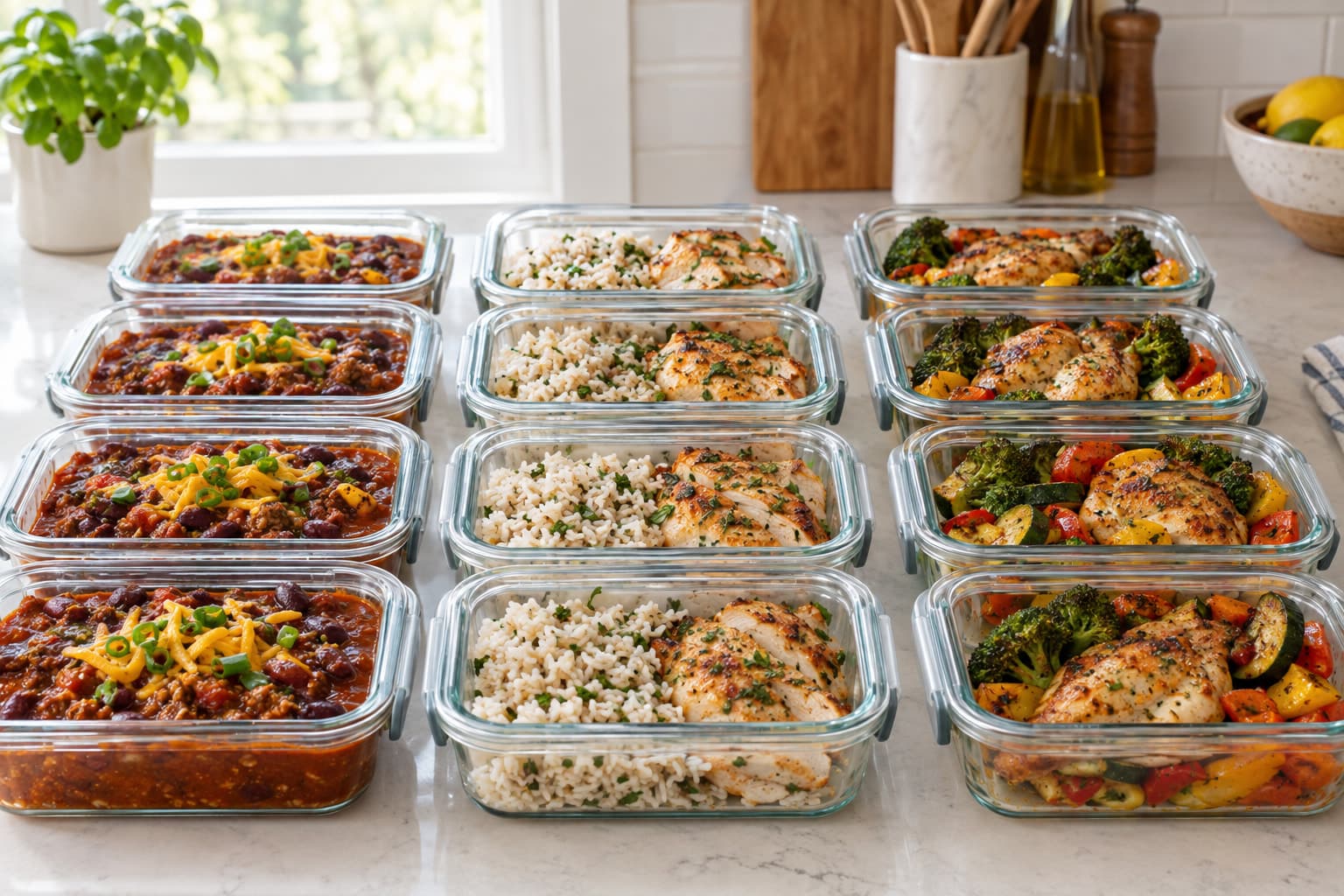
The best meal prep app depends on your prep day. Eat This Much suits calorie-based batch plans, Paprika and AnyList suit your own recipes, and Well Stockd suits prepping from what's already in your fridge and freezer. None of them cooks the food or packs the containers.
What does the best meal prep app need to do?
Meal prep is a different job from planning a week of dinners. You cook once and eat the same food on several days, so the app has four things to handle.
| Prep-day job | What to look for |
|---|---|
| Choosing recipes that batch well | A way to reuse meals, or to plan one cook that feeds several days |
| Cooking more than a normal recipe makes | Scaling ingredients to a bigger serving count |
| Shopping for the bigger cook | A list that adds up the scaled amounts and skips what you own |
| Keeping track afterward | Somewhere to record what's in the fridge and freezer, and when to eat it |
The last row is where meal prep goes wrong in practice, because a fridge full of containers is easy to forget. For the method behind a prep day that doesn't end up tasting like week-old leftovers, read meal prep that doesn't taste like leftovers. This page is about the apps.
Which meal prep apps handle batch cooking and leftovers?
Every row below comes from the company's own pages, checked in October 2026. Where a page didn't say, the cell says so instead of guessing.
| App | Batch or leftover planning | Scales a recipe | Tracks what you stored | How it's paid for |
|---|---|---|---|---|
| Eat This Much | Leftovers patterns repeat a meal across days (Premium) | Sets the number of family members per meal (Premium) | Pantry tracking (Premium) | Free daily plans. Weekly features are Premium |
| MealPrepPro | A prep schedule, with extra portions of dinner for lunch | Adjusts a recipe to your portion needs | Not described | 7-day free trial, then a subscription |
| Paprika | Reusable menus that span multiple days | Yes | A pantry with quantities, purchase dates and expiration dates | One-time purchase for each platform |
| AnyList | Meal plan templates, and planning for leftovers | Yes, recipe scaling is in AnyList Complete | Not described | Meal planning needs AnyList Complete, $9.99 a year |
| Samsung Food | Save and reuse unlimited meal plans (Food+) | Adjust servings and swap ingredients (Food+) | Automated pantry management (Food+) | Free app. Food+ is paid |
| Well Stockd | No batch schedule | Yes, up to 12 servings | Fridge, Freezer and Pantry, with estimated expiration dates for fridge and pantry food | The cooking loop is free. The weekly planner is Pro |
The sources: Eat This Much explains its leftovers feature, which is Premium, and the way it sets patterns for repeating meals (help article). Its store listing places family-size settings and pantry tracking under Premium (Google Play). MealPrepPro's home page describes prep schedules and the option to prep an extra portion for the next day (MealPrepPro). Paprika's App Store listing covers reusable menus, scaling, and the pantry with expiration dates (App Store). AnyList announced templates and leftover planning in January 2026, exclusive to Complete (AnyList blog), at $9.99 a year for one person, with recipe scaling listed among its features (AnyList). Samsung Food's Food+ features come from its listing (App Store).
The details decide it.
If you meal prep to hit calorie or macro numbers, Eat This Much is built for that, and its leftovers feature does the repeat-a-meal work for you once you pay for Premium. MealPrepPro is aimed at the same people, with recipes customized to calorie needs. If you plan from your own recipe collection and want the app to stay out of the way, Paprika is a one-time purchase, which suits a prepper who dislikes subscriptions. AnyList works best if you already share a grocery list with your household and want a calendar with templates on top.
Well Stockd doesn't automate batches. What it does is keep track of the stock on both sides of the cook: what you have before you shop, and what you stored afterward.
How do you use Well Stockd on prep day?
A prep day in the app runs like this.
- Check what you already have. The fridge, freezer and pantry are recorded by item, quantity and unit, and each recipe shows "Can make now" or exactly what it's missing. A pound of ground turkey in the freezer and a bag of rice turn into a shortlist.
- Choose the batch. Pick two or three recipes that share ingredients. With the Pro planner, Pick for me can fill open slots from your favorites, recipes you can make now or one of your lists, and put dishes that use your fastest-spoiling food first.
- Set the servings to the batch size. The stepper on a recipe goes up to 12, the ingredient amounts scale, and the app checks the scaled amounts against your stock. Anything short goes onto the shopping list at the scaled quantity.
- Shop. The list follows your kitchen, and you can send it to a Walmart cart and finish checkout with the store.
- Cook in cook mode. It's a large-type view with timers and a screen that stays awake. When you finish, it shows what you used and waits for you to confirm before it changes your stock.
- Record the portions. Add the finished meals as items, choose Fridge or Freezer, and check the expiration date the app estimates against the guidance below. Treat the date as an estimate.
That sixth step is the one most prep plans skip. A mental note that the chili is in the freezer is easy to lose.
What does a week of meal prep look like in the app?
Take one person cooking on Sunday, with a pot of chili and a tray of roasted chicken as the batch. The days follow the FSIS guidance on this page: leftovers in the refrigerator for 3 to 4 days, and the rest frozen.
| Day | Eat | Where it lives |
|---|---|---|
| Sunday | Cook the batch, eat one portion fresh | Cool the rest in shallow containers |
| Monday | Chili | Fridge, day 1 |
| Tuesday | Chicken with rice | Fridge, day 2 |
| Wednesday | Chili | Fridge, day 3 |
| Thursday | Frozen chicken, thawed in the refrigerator | Freezer, then the fridge |
| Friday | Something fresh from the catalog | Whatever the shortlist suggests |
In Well Stockd, the portions you freeze go in as items with Freezer as their location, and the ones you'll eat this week go in as Fridge. When the fridge items near their dates, they sort to the top of your kitchen list, and the shortlist shows what you can make from the rest. FSIS says food thawed in the refrigerator stays safe the whole time and should be used within 3 to 4 days after thawing (FSIS). Moving an item out of Freezer in the app restarts its expiration clock, which matches how the thawed food behaves.
Where does Well Stockd fall short as a meal prep app?
Check these gaps before you sign up.
- There's no prep-day schedule, no leftovers pattern and no way to say "cook once, eat Tuesday through Thursday." You plan those days yourself.
- It doesn't label containers or divide portions. You do that at the counter.
- It doesn't set calorie or macro targets. Recipes show nutrition per serving where the data exists, and you can filter the catalog by calories, but it doesn't plan to a number. See meal planning apps for weight loss.
- The catalog leans toward two-serving dinners. For a week of lunches you'll scale servings up on each recipe.
- The weekly planner and Pick for me tool are Pro. Free accounts can preview the builder but can't add meals.
- There's no App Store app. It installs to your home screen from the web.
- The one-tap cart goes to Walmart only.
If you want an app to design the prep week for you, look at Eat This Much or MealPrepPro. If you want to prep from what you own and always know what's in the freezer, this is the better fit.
How long does meal prep last, and when should you toss it?
An app can remind you, but it can't make food safer. The USDA's Food Safety and Inspection Service says most cooked leftovers keep 3 to 4 days in the refrigerator, and its cold storage chart lists 2 to 3 months in the freezer for casseroles, soups and stews (FSIS). The freezer figure is about quality: FSIS says frozen leftovers are safe indefinitely but can lose moisture and flavor (FSIS), and it wants the freezer at 0 °F or below (FSIS). So plan the freezer for the meals you won't eat by day four.
A few habits matter on prep day. Refrigerate perishable food within 2 hours, or 1 hour when it's above 90 °F. Divide big batches into shallow containers so they cool fast. Reheat leftovers to 165 °F (FSIS).
If you aren't sure how long a container has been in there, don't taste it. FSIS puts it plainly: when in doubt, throw it out (FSIS). Our post on how long meal prep lasts in the fridge goes through specific foods.
Which meal prep app fits which prepper?
| If you are | Start with |
|---|---|
| Prepping around calorie or macro targets | Eat This Much or MealPrepPro |
| Cooking from your own recipe collection and avoiding subscriptions | Paprika |
| Sharing a grocery list and wanting templates on a calendar | AnyList |
| Wanting a big free library and reusable plans | Samsung Food |
| Always forgetting what's in the fridge and freezer | Well Stockd |
For freezer-heavy prep, our post on freezer inventory tracker apps compares apps for that single job, and freezer dump meals covers what to cook. If you also want to see the pantry side, read meal planning apps with pantry inventory. For the category overview, see meal planning apps.
Add three foods from your freezer and see what you can cook from them. Try it free.
FAQ
What is the best free meal prep app?
Samsung Food's app is free, and Eat This Much plans a single day for free. Well Stockd's cooking loop is free, including inventory with estimated dates, scaling and cook mode, but the weekly planner is Pro. Free tiers change, so check each company's page before you rely on one.
Can a meal prep app plan leftovers for you?
Some can. Eat This Much's leftovers feature repeats a meal across days and is Premium. AnyList added leftover planning to its meal planning, which needs AnyList Complete. Well Stockd doesn't plan leftovers. It tracks the portions you add once you've cooked.
How do you keep track of frozen meal prep?
Record each batch where it lives, with a date, and check the freezer on a set day each week. A freezer inventory tracker is built for this, and so is a Freezer location on an inventory app. Write the date on the container as well, since an app can't see a label that peeled off.
How many days of meal prep should you cook at once?
Cook for the days the refrigerator can cover and freeze the rest. FSIS says leftovers keep in the refrigerator for 3 to 4 days (FSIS), so a prep day that feeds Monday through Wednesday needs no freezer, and one that feeds the whole week does. If you prefer to cook twice a week, a Sunday and Wednesday prep splits the risk and keeps the food fresher.
Do you need an app for meal prep?
No. A notes list and a few labeled containers are enough for one weekend of cooking. An app earns its place when you prep every week and keep losing track of what's in the freezer. For a lighter approach, see meal prep ingredients instead of full meals.
Track it in Well Stockd
Add what you have, see what you can cook tonight, and get a reminder before anything goes off.
