Cooking timer app for multiple dishes: name every pot, serve together
Which apps run labelled timers for several dishes at once, work back from a serving time and alert you when the phone is locked: Well Stockd, Paprika, Plan to Eat, Crouton, Mela, MultiCook Timer+, Cooking Time Planner and Google speakers compared.
A cooking timer app for several dishes runs a timer for each pot, names the dish it belongs to, and helps everything finish together. Well Stockd does it inside your recipes, up to four at once. MultiCook Timer+ is the best standalone timer for one big meal.
The hard part of cooking a main and two sides is the moment a phone beeps and you cannot remember whether that was the rice or the roast. Three kinds of tools help. Recipe apps with timers built into the steps know which recipe a timer came from. Standalone multi-dish timers count back from the time you want to eat. A smart speaker will name a timer for you if you ask. Each one leaves something out, and the table below shows what.
How we compared
We read each app's own App Store or Google Play listing, website or help pages in November 2026. For each one we noted five things: whether it starts timers from the times written in a recipe's steps, whether it handles several recipes at once, whether it works back from a serving time, how it alerts you, and what it costs. We did not test every alert on every phone, so where a listing does not say something, the table says "not listed" rather than guessing.
Cooking timer apps for several dishes, compared
| App | Timers from recipe steps | Several dishes at once | Works back from a serving time | Price |
|---|---|---|---|---|
| Well Stockd | Yes | Up to 4 recipes side by side, each timer labelled with its recipe | A "Serve at" target on every plan; start times for each recipe on Pro | Free; Pro adds start times (plans) |
| Paprika 3 | Yes, tap a detected time | Pin active recipes and switch between them | Not listed | $4.99 on iPhone and iPad, each platform sold separately |
| Plan to Eat | You set up to 5 timers in Cooking View | Switch between recipes planned for the same meal | Not listed | $5.95 a month or $49 a year after a 14-day trial |
| Crouton | Yes, tap a detected time | Multiple timers on a heads-up display | Not listed | Free with in-app purchases, Apple devices only |
| Mela | Start timers from cook mode | Add several recipes to cook mode | Not listed | Free to download, with a one-time purchase for the full app, Apple devices only |
| MultiCook Timer+ | No, you enter each dish | Up to 4 items free, unlimited on Pro | Yes, from your sit-down time, with basting and resting alerts | Free, Pro $4.99 once, iPhone and iPad |
| Cooking Time Planner | No, you enter each dish | Yes | Yes, from a target finish time | Free, Pro $1.99, Apple devices |
| A Google smart speaker | No | Yes, named timers | Not listed | Needs a Google speaker or display |
Well Stockd: timers that stay with their recipe
We make Well Stockd, so weigh our ranking with that in mind. Here is what it does today, and where it falls short.
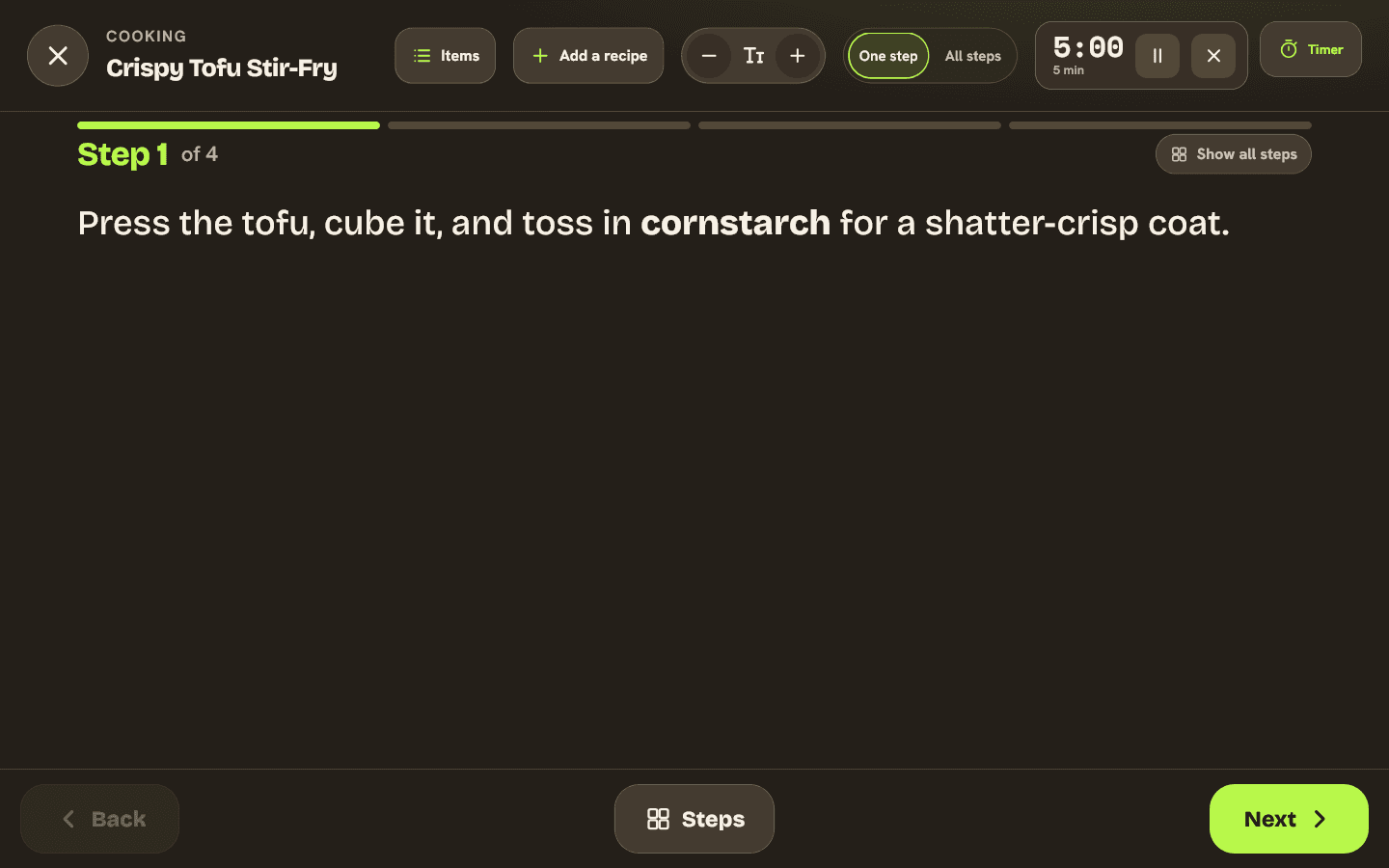
Cook mode is a full-screen, large-type view made for a tablet or phone on the counter, and the screen stays awake while it is open. When a step says "simmer for 25 minutes", a "25 min timer" button appears under it, and one tap starts it.
The part that matters for a full dinner is cooking several recipes together. You can open up to four side by side, say a roast, potatoes and a salad, and switch between them with tabs that show "Step 3 of 7" for each one. Every timer carries its recipe's name, so the banner that pops up when one ends says "Potatoes · 25 min step timer" instead of leaving you to guess. When a timer runs out, it chimes, and vibrates on phones that allow it, every 3 seconds until you dismiss it.
You can set a "Serve at" time, the time you want to eat, and a countdown shows how long is left. On the free plan that is a target to cook toward: the app's own note says to "check each recipe's timing yourself". Pro adds start times, which counts back from each recipe's listed total time and tells you when to begin each one. It is only a guide. It does not start timers for you, and a recipe with no time listed gets no start time until you type the minutes.
If your phone locks or you switch to another app while a timer runs, and you have notifications turned on, Well Stockd sends a notification within about a minute of the timer ending, with the recipe's name in it. Push works on Android and on computers, and on iPhone after you add Well Stockd to the Home Screen.
Each recipe finishes on its own. When the potatoes are done, you confirm what you used and the kitchen updates for that recipe only, while the roast keeps cooking.
Where it does not win:
- Leaving cook mode stops the alerts. The app warns you first: "A timer for Potatoes is still running. It won't ring if you leave."
- It times recipes you have in Well Stockd. For a frozen pizza and a bag salad, a plain timer or a smart speaker is quicker.
- It has no basting reminders or resting times. MultiCook Timer+ does both.
- The free plan holds up to 30 foods in your kitchen. Cook mode, timers and the four-recipe view are free; start times are Pro.
Cooking a main and two sides tonight? Open all three in cook mode and let each timer name its own pot. Start the free trial
Paprika 3: timers detected in the directions
Paprika's own page says it simply: "Timers are automatically detected in your directions: simply tap on one to start." You can "pin active recipes to easily switch between them when you are cooking", and Paprika keeps the screen on while a recipe is open. Its cloud sync carries recipes, grocery lists and meal plans across your devices. It runs on iPhone, iPad, Mac, Android and Windows, each version sold separately, and it is $4.99 on iPhone and iPad. Neither the home page nor the App Store listing describes alerts for when the app is closed, or a plan that works back from a serving time, so test those before a big meal if they matter to you.
Plan to Eat: five timers and the next recipe one tap away
Plan to Eat's help page says you can "tap Timers in the top bar to set up to 5 cooking timers while you work through a recipe." If you have more than one recipe planned for the same meal, a Next button moves you to the next one, and "Cooking View remembers which step you're on for each recipe." The screen stays awake. Plan to Eat costs $5.95 a month or $49 a year after a 14-day trial with no card, and one account covers your family on all your devices. So if you want a meal planner with both a shared list and timers, Plan to Eat is one. Well Stockd is another.
Crouton and Mela: Apple-only recipe apps with timers
Crouton "detects times within recipes and lets you start timers straight from the steps", and "a convenient heads up display keeps the times front of mind while you continue to use the app." Its hands-free mode lets you move between steps without touching the screen. Mela lets you "start and manage timers right from the cook mode", and you can add more recipes to cook mode and switch between them. Both run only on Apple devices, which settles it for an Android household.
MultiCook Timer+: the best plan for one big meal
MultiCook Timer+ is not a recipe app. You enter each dish and how long it takes, set your sit-down time, and "we'll calculate when each dish needs to start." It adds what recipe apps leave out: "Custom Basting Alerts" at intervals you set and "Built-in Resting Time" for meat. The free version handles "a meal with up to 4 cooking items"; Pro is a one-time $4.99. It is iPhone and iPad only.
Cooking Time Planner does the same job more simply: set a finish time, add dishes, and get "phone reminders when it's time to start each dish". Pro is $1.99.
For Thanksgiving or a Sunday roast, one of these plus your recipes is hard to beat. For a Tuesday stir-fry, entering every dish by hand is more work than the meal.
A smart speaker: named timers, hands free
If you have a Google speaker or display, you can say "Set a 10-minute timer for pizza" and later "How much time is left on my pizza?". Google's help page notes that "the timer alert sound plays only on the speaker or display that you used to set it up", so set it on the one in the kitchen. A speaker does not read your recipe, so you still name and time every pot yourself. If you want the recipe read aloud too, see our hands-free cooking app walkthrough.
Do Cookpad and Allrecipes have timer alerts?
Not that we could find. We checked both in November 2026. Cookpad's App Store listing describes recipe search, imports, a weekly menu and a shopping list, and does not mention timers. Allrecipes now points readers to the MyRecipes app from People Inc., the company behind Allrecipes, for saving and cooking its recipes. That listing promises a cook mode where the "screen stays awake while you cook", with no timers listed, and neither listing mentions haptic, silent or spoken alerts. If timers inside the recipe matter to you, the apps above are the ones that say they have them.
Which one should you pick
| If you want | Pick |
|---|---|
| Timers inside your recipes, labelled by recipe, on any phone or computer | Well Stockd |
| A one-time purchase and timers in the directions | Paprika 3 |
| A meal planner with shared lists and timers | Plan to Eat or Well Stockd |
| One big holiday meal timed to the minute, with basting | MultiCook Timer+ |
| Hands free, and you already own a Google speaker | Named timers on the speaker |
How to time three dishes so they finish together
Whatever app you use, the method is the same. Start from the time you want to eat and work backward. The dish that takes longest starts first, and the quickest starts last. Leave five or ten minutes at the end for resting meat and plating, because plating takes longer than it looks.
Give every timer a name if your timer lets you. "Rice" is easier to act on at 6:40 than "Timer 2". And write down the start times before you begin, so you are not doing sums with wet hands.
If the shopping is part of the problem too, see shared grocery list apps for couples and our comparison of automatic meal planner apps. If food going off before you cook it is the bigger worry, start with the apps that track food expiration dates.
Try a full dinner in cook mode: three recipes, three named timers, one serving time. Start the free trial
Frequently asked questions
What is the best cooking timer app for multiple dishes?
For dinners cooked from recipes, Well Stockd, because each timer comes from a recipe step and carries that recipe's name, with up to four recipes open at once. For one large meal with basting and resting, MultiCook Timer+ on iPhone, which works back from your sit-down time.
Which meal planner supports shared lists and timers?
Plan to Eat has up to 5 cooking timers and one account for the whole family. Well Stockd has timers built into each recipe's steps and shares a separate shopping list with one other person on the free plan, or the whole kitchen with up to six people on Pro. Paprika has timers and syncs lists across your own devices through its cloud sync.
Can a timer app tell me when to start each dish?
Yes. MultiCook Timer+ and Cooking Time Planner both calculate start times from the time you want to eat. Well Stockd's start times, part of Pro, do the same from each recipe's listed total time.
Will the timer still ring if my phone locks?
It depends on the app. Well Stockd sends a notification within about a minute of the timer ending if your screen locks or you switch apps, as long as notifications are on, but leaving cook mode cancels the alerts. Check how any app behaves on your phone before a big meal.
Do Cookpad and Allrecipes have built-in timers?
Their current App Store listings do not mention timers. Cookpad lists recipes, imports, a weekly menu and a shopping list. Allrecipes points readers to the MyRecipes app, which lists a cook mode that keeps the screen awake.
Sources:
- Paprika Recipe Manager home page
- Paprika Recipe Manager 3 on the App Store
- Plan to Eat help: How to Use the Cooking View (App)
- Plan to Eat home page and pricing
- Crouton on the App Store
- Mela home page
- Mela on the Mac App Store
- MultiCook Timer+ on the App Store
- Cooking Time Planner on the App Store
- Google Home help: Set and manage timers on your Google smart speaker or display
- Cookpad Recipes on the App Store
- MyRecipes on the App Store
- Allrecipes: Never Lose a Recipe Again With the New MyRecipes App
Competitor details checked November 3, 2026.