Meal planning calendar app: dinner on the calendar you already use
Which meal planners send the plan to Google, Apple or Outlook Calendar, which family calendars plan meals, and how Well Stockd, Plan to Eat, Cozi, Mela and Skylight compare on times, sharing and shopping lists.
A meal planning calendar app puts your meals on a calendar the whole household can see. Well Stockd is our pick when the plan should come from what is already in your kitchen and show in Google, Apple or Outlook Calendar. Cozi is the runner-up for one shared family calendar.
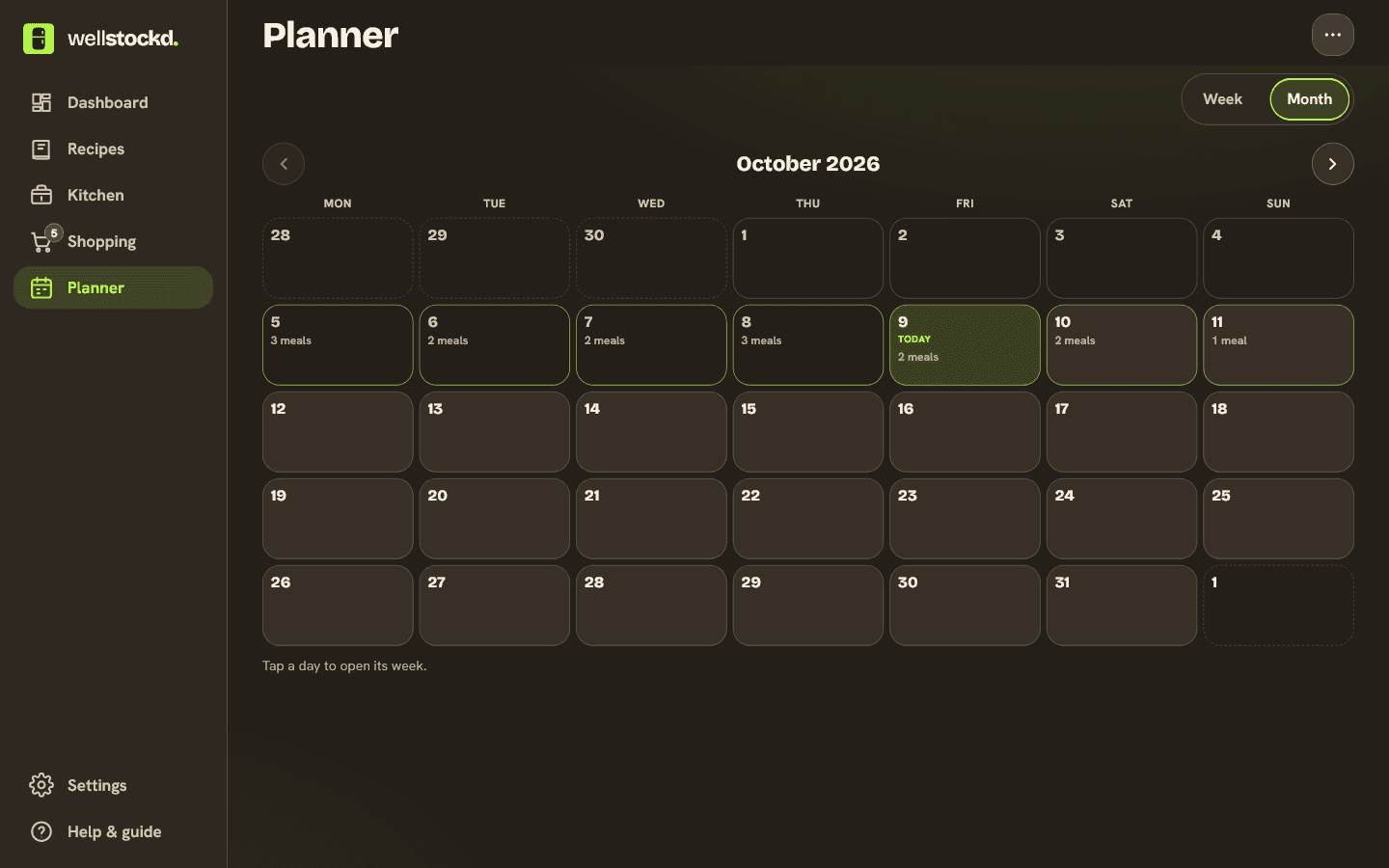
There are two ways to get there, and it helps to know which one you are looking at. Family calendar apps like Cozi and Skylight started with the calendar and added meals. Meal planners like Plan to Eat, Mela and Well Stockd started with recipes and send the plan out to the calendar you already use. The first kind is better at "who is where on Tuesday". The second is better at "what are we eating, and what do we need to buy".
How we compared
We read each app's own website, help pages and pricing pages in November 2026. For each one we noted where the meal plan shows up, whether you choose the meal times, who in the household can see and change it, whether it turns the plan into a shopping list, and what it costs. We did not test how fast each calendar picks up a change, so where a maker gives a delay we quote it.
Meal planning calendar apps at a glance
| App | Where the plan shows | Meal times | Household | Shopping list from the plan | Price |
|---|---|---|---|---|---|
| Well Stockd | In the app; on Pro, also in Google, Apple or Outlook Calendar through a private link | Set: breakfast 8 AM, lunch noon, snack 3 PM, dinner 6 PM | Up to 6 people share one plan on Pro | Yes, on Pro | Free plans the current week; the calendar link is Pro (plans) |
| Plan to Eat | Apple, Google or Outlook Calendar through an iCal feed | All-day, or times you choose per meal | One account for your family | Yes | $5.95 a month or $49 a year after a 14-day trial |
| Cozi | Cozi's own shared family calendar | Not listed | Up to 12 family members on one account | Adds a recipe's ingredients to a Cozi list | Free; Gold $39 a year; Max $79 a year |
| Mela | Apple's Calendar app | Not listed | Anyone you share that calendar with | Groceries go to Apple Reminders | One-time purchase, Apple devices only |
| Skylight Calendar | A touchscreen calendar in your kitchen, and the Skylight app | Breakfast, lunch, dinner and snack sections you can rename | Everyone at home, on the screen | "Add to Grocery List" from a planned recipe | Meal planning is part of Calendar Plus, on top of the device |
Well Stockd: your plan in the calendar you already check
We make Well Stockd, so weigh our ranking with that in mind. Here is what it does today, and where it falls short.
You plan in Well Stockd's planner. Pick a recipe for a day and a meal, or add a note with no recipe, such as "Eating out" or "Pizza at Mom's". The free plan covers the current week, planned by hand. Pro plans up to eight weeks ahead, adds a month view, saves weeks your household can reuse, and writes the shopping list from the plan.
On Pro, Settings has a card called "Meal plan in your calendar". Create a calendar link and add it to Google, Apple or Outlook Calendar. Each meal then shows up as its own event, for example "Dinner: Lemon chicken, Green beans", with the servings and a link back to each recipe. The events are marked free, so a planned dinner never makes you look busy in a work calendar. The card's own setup notes cover each calendar, including the catch with Google: you have to add the link on a computer, because "the phone app can't add one."
In a household of up to six people, everyone cooks from the same kitchen and the same plan, and each person creates their own calendar link. Because the planner knows your kitchen, the shopping list it writes leaves out what you already have, and you can untick anything before it is added. The free plan holds up to 30 foods in your kitchen; Pro lifts the limit.
Where it does not win:
- The meal times are fixed. Breakfast is at 8 AM, lunch at noon, snack at 3 PM and dinner at 6 PM. Plan to Eat lets you choose.
- The calendar only shows the plan. You make changes in Well Stockd, and your calendar app picks them up the next time it checks, which "can take several hours".
- There is no "who is cooking" field. A note on the meal, such as "Sam cooks", is the workaround.
- It is not a family calendar. School runs, birthdays and soccer practice belong in Cozi, Skylight or the calendar you already use.
Want this week's dinners in the calendar everyone already checks? Plan them here and add the link. Start the free trial
Plan to Eat: the most flexible calendar feed
Plan to Eat sends your meal plan to "Apple's iCal, Google Calendar, and Microsoft Outlook" through an iCalendar feed. You can subscribe to recipes, ingredients, notes or everything, and choose whether meals show as all-day events or at custom times for each meal. That choice is the main thing it does better than Well Stockd here.
Its help pages are frank about Google: "It might take up to 12 hours for changes to show in your Google Calendar." As with Well Stockd's link, you add it to Google on a computer: Plan to Eat notes that "you cannot subscribe to new calendars through the mobile version of Google Calendar or Outlook." Plan to Eat costs $5.95 a month or $49 a year after a 14-day trial with no card, and one account covers your family on all your devices. If you are weighing the two, our Plan to Eat alternatives comparison goes deeper.
Cozi: meals inside the family calendar
Cozi is a family organizer first. Up to 12 people share one account, and the FAQ says everyone "will have full access to view/add/edit/delete any data in your account." Its Meal Planner is "connected to the Calendar, where you already keep your family's schedules", and under each date it shows how many events you have that day, so you can see that Tuesday is soccer and pick something quick. Planned meals show up in the Cozi calendar, and you can send a recipe's ingredients to a Cozi shopping list.
Two limits matter. Cozi's 2025 announcement said: "Meal planning is currently limited to dinners only." And the month view on phones is a Gold feature. Cozi can share a read-only feed of appointments with Google, Outlook or Apple Calendar, but its FAQ does not say whether planned dinners are part of that feed. Cozi is free with ads; Gold is $39 a year and Max, which adds an AI meal planner, is $79 a year. One upgrade covers the whole family.
Mela: meals in Apple's own Calendar app
Mela takes the simplest route on Apple devices. Its home page says "Plan your meals using Mela's built-in calendar. The entries are stored in the Calendar app which allows you to share the meal plan with others who don't have Mela installed." Groceries go to the Reminders app the same way. If your household is all on iPhone and already shares an iCloud calendar, that is hard to beat. If anyone uses Android, it does not fit.
Skylight Calendar: a screen in the kitchen
Skylight is a touchscreen calendar for the wall or the counter, with an app for phones. Its meal planning is part of the Calendar Plus subscription. Skylight's guide describes meal sections that "start as Breakfast, Lunch, Dinner, and Snack, but you can rename them", day-specific notes that are "handy when someone else is doing the cooking", and an "Add to Grocery List" button on a planned recipe. It suits a family with young kids who will read the screen on the fridge rather than open an app. You pay for the device and for Calendar Plus, so check Skylight's own page for current prices.
Which one should you pick
| If you want | Pick |
|---|---|
| The plan built from what is in your kitchen, shown in Google, Apple or Outlook | Well Stockd |
| Your own meal times in Google Calendar | Plan to Eat |
| One family calendar with dinner on it | Cozi |
| Everything in Apple's Calendar and Reminders | Mela |
| A screen on the kitchen wall | Skylight Calendar |
Why one app rarely does both
People ask why it is so hard to find one app that does the calendar, the to-dos and the meal plan. The honest answer is that they are different jobs. A family calendar needs reminders, shared events and school schedules. A meal planner needs recipes, servings, what is in the fridge and a shopping list. Apps that try to do both usually do one of them lightly: Cozi's meal planner covers dinners, and Well Stockd has no calendar of its own.
The setup we suggest is two tools joined by a link. Keep the family calendar you already use, plan meals in a meal planner, and subscribe to its calendar feed. Then "what's for dinner" sits beside "soccer at 5" without anyone typing it twice.
If dinner planning is the harder part, our guides to a weekly dinner plan that holds and family meal planning apps cover the planning itself. And if food going off before you get to it is the problem, start with the apps that track food expiration dates.
Plan the week from what you already have, and see it in your calendar. Start the free trial
Frequently asked questions
What is the best meal planning calendar app?
For a plan that comes from what is in your kitchen and shows in Google, Apple or Outlook Calendar, Well Stockd on Pro. For your own meal times in the feed, Plan to Eat. For one family calendar with dinners on it, Cozi.
Which shared kitchen calendar apps let housemates add meals, grocery items and assign cooks?
Cozi lets up to 12 people on one account add and edit everything, including meals and shopping lists. Skylight Calendar puts the plan on a kitchen screen and lets you add a note to a day's meal for whoever is cooking. Well Stockd shares one plan and one list with up to six people on Pro. None of the apps we checked has a field for assigning a cook, so a note on the meal is the usual way.
Can I put my meal plan in Google Calendar?
Yes, with an app that offers a calendar link. Well Stockd (on Pro) and Plan to Eat both give you a link you add to Google Calendar on a computer. Changes can take hours to appear, because Google decides when to check the link again.
Is there a free meal planning calendar app?
Cozi's free version puts meals on its own family calendar, with ads. Well Stockd's free plan covers planning the current week, but the link to an outside calendar is part of Pro.
Can I choose the time each meal shows in my calendar?
In Plan to Eat, yes: all-day events or custom times for each meal. Well Stockd uses set times: breakfast 8 AM, lunch noon, snack 3 PM and dinner 6 PM.
Sources:
- Plan to Eat help: Share Your Meal Plan to a Calendar (Website)
- Plan to Eat help: Share Your Meal Plan to A Calendar (App)
- Plan to Eat home page and pricing
- Cozi: Compare plans
- Cozi FAQ
- Cozi: Introducing Cozi Meal Planner (February 24, 2025)
- Mela home page
- Skylight Calendar Plus
- Skylight: How to Meal Plan with Skylight Calendar
Competitor details checked November 3, 2026.