Weekly dinner planner apps and the plan that holds
Plan five dinners as a pool, not a calendar. Compare simple weekly dinner planner apps and keep a rotation you can cook tonight.
Plan five dinners, not seven, and do not assign them to days. A pool of meals you have agreed to eat beats a filled-in calendar, because the calendar breaks the first night somebody gets home late.
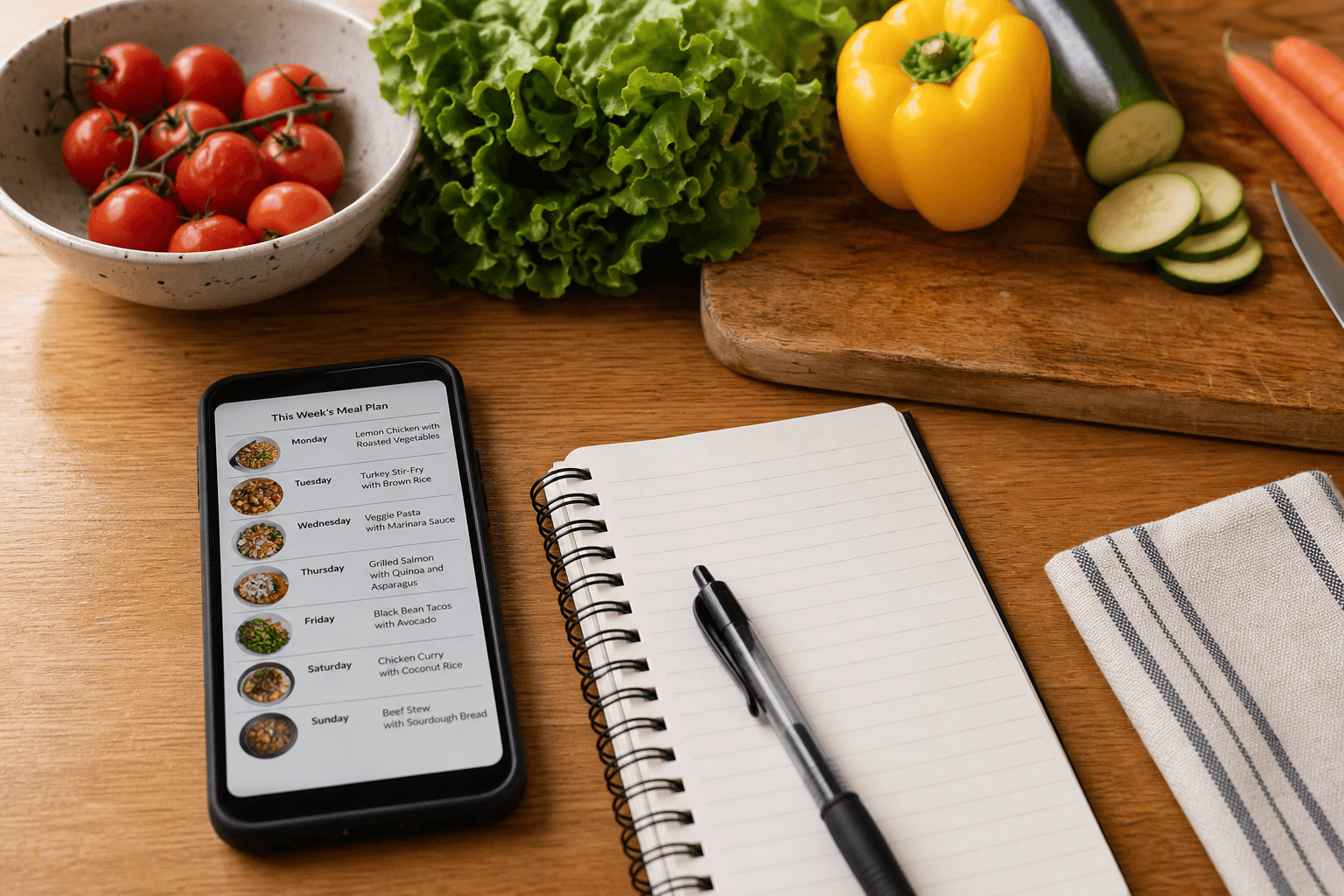
Why the filled-in week breaks by Wednesday
You know the pattern. On Sunday you fill seven boxes with hope, and by Friday the grid is fiction. A cook in r/DinnerIdeas put it plainly: "Too mentally exhausted to figure out dinner... every damn night". The failure is not your discipline. It is the format.
A calendar assumes your week is predictable. Most weeks are not. One slipped day makes the whole grid feel wrong, so you scrap all of it. The forwards plan that breaks asks you to decide, shop and cook in that order, which means one change upstream ruins everything downstream.
Plan a pool, not a calendar
Pick five dinners your household already likes and write them down as a pool. No days attached. Each evening you choose from the pool based on time and energy. When you cook one, you restock its ingredients and the pool stays full.
The top answer in an r/workingmoms thread on the same problem says the same thing: "I solved this by having a meal rotation. 4 [5] weeks of meals decided and laid out." Four or five weekly pools, cycled, means deciding about once a month instead of every night. For the fuller version of the routine, read the weekly planning method.
Browse the free catalog of more than 3,800 recipes and pull your first pool together tonight. Start the free trial
How many dinners a week actually needs planning
Five. Two nights stay open for leftovers, a frozen backup or takeout, and that slack is what keeps the plan alive. Weekend lunches and breakfasts run on habit, not planning.
If you batch cook, the guide to batch cooking without the leftover taste keeps a double portion appetizing for an open night. What matters is the decision itself: five agreed meals, chosen once.
Planning without entering recipes
Plenty of people want a planner and do not want a recipe app at all. What they want written down is a week of decisions, not another recipe box, and meal names are enough for that. "Tacos, pasta bake, stir fry, soup, roast chicken" is a complete plan.
Most planners still make you type or import recipes before they do anything useful. You should not have to build a database to answer what to cook this week. Well Stockd Free works the other way: the catalog of more than 3,800 recipes sits ready when you want one, and your pool can stay as plain meal names until then.
Weekly dinner planner apps compared
Prices and tiers are as of September 2026.
| App | Price as of October 2026 | Free tier | Weekly planner |
|---|---|---|---|
| Well Stockd | Pro $7.99 a month or $79 a year | Full loop free: catalog, inventory of up to 30 foods, can-make matching, shopping list | This week by hand on Free; auto-planning and planning ahead on Pro, 7-day no-card trial |
| Plan to Eat | $5.95 a month or $49 a year | No free tier | Paid planner, 14-day no-card trial |
| Mealime | None; closed October 21, 2026. Pro was $2.99 a month until Mealime made it free for everyone before the shutdown | None, the app has closed | Closed October 21, 2026 |
| AnyList | Complete $9.99 a year, $14.99 household | Free tier without the planning calendar | Calendar is Complete-only |
| Samsung Food | Free with ads; Food+ $6.99 a month or $59.99 a year | Free with ads | 7-day recommendations are Food+ |
Plan this week free, then try planning weeks ahead for 7 days from when you confirm your email, no card, and turn your pool into a plan. Start the free trial
The simple free options, and where each one stops
Mealime used to be the usual recommendation here. It closed on October 21, 2026, after saying it would delete all personal data at shutdown and offering no export for recipes, plans or grocery lists. If your rotation lived there, rebuild it from the meal names you remember; Mealime said its own recipes would continue in Meals Hub.
Samsung Food is free with ads, with Food+ at $6.99 a month or $59.99 a year buying longer recommendations, personalization and pantry tools. Its pantry list carries no quantities, which is the piece a cookable-now answer would need.
AnyList keeps a free tier for shared lists, and its planning calendar needs Complete at $9.99 a year for one person or $14.99 for a household. It has no inventory, no expiry tracking and no can-make matching, so the plan never checks the fridge.
Well Stockd Free is the full cooking loop: the catalog, an inventory of up to 30 foods with expiry tracking, can-make matching, the shopping list with a Walmart cart you review before checkout, cook mode, 2 lists, unlimited own recipes and a plan for the current week made by hand. Planning ahead, saved weeks and auto-planning are the Pro upgrade at $7.99 a month or $79 a year.
Your own recipes in the pool
Family recipes belong in the rotation, and a planner should hold your own dishes next to whatever catalog it ships with, because the meals you actually repeat are yours. Well Stockd Free already holds unlimited recipes of your own, which is plenty to seed a first pool. Planning beyond the current week is the part behind the $79 a year Pro plan.
Keep the bar low for what counts as a recipe. A few lines of method in your own words beats a blank card you never fill in.
A pool that refreshes itself from what you have
The question a planner has to answer every night is a narrow one: what can you cook with what is already here. Your inventory says what is in the kitchen, the catalog says what those ingredients become, and the pool refills from the overlap. Shopping then replaces only what the pool used up.
This is where a pool beats a calendar for good. A calendar tells you to buy for assigned days and wastes food when days slip. A pool tied to inventory bends instead. Learn the pantry-first routine once, then check what is cookable now each evening.
Start the 7-day no-card trial and let the planner rebuild your pool from what you own. Start the free trial
FAQ
What is the best weekly meal planner app?
The one you still use in week three. Pick a pool of five dinners you can cook now over a rigid seven-day calendar. If cost is the deciding factor, see which meal planning apps are free.
Is there a free weekly meal planner app?
Yes. Well Stockd Free holds your pool with the catalog, an inventory of up to 30 foods and the shopping list, and Samsung Food is free with ads.
What is the simplest meal planning app?
One that holds a small pool of familiar meals and shows what is cookable now, with no recipe entry and no day-by-day assignment.
Is there a meal planning app without recipes?
Yes. Plan from meal names alone. Well Stockd Free also gives you more than 3,800 recipes to draw on when you want one.
Is there a meal planning app with your own recipes?
Yes. Well Stockd Free already holds unlimited recipes of your own, and Pro adds auto-planning and planning ahead on the $79 a year plan.
How many meals should you plan for a week?
Plan five dinners, not seven. Leave two nights for leftovers, takeout or whatever is fresh in the fridge.