Move recipes to a new app: from Paprika, Cozi and others
What Paprika, Plan to Eat, Recipe Keeper and Cozi let you export, which apps read those files (Well Stockd, Plan to Eat, CookBook, Recipe Keeper), what moving costs, and yearly prices for premium family planners.
Moving recipes to a new app usually costs nothing extra: export a file from the old app and import it into the new one. Well Stockd is our pick, reading export files from ten recipe apps for free. CookBook is the runner-up if you want its team to do it.
The catch is the old app, not the new one. Some apps hand you a tidy export file. Some only let you print. And a few, Cozi among them, have no recipe export that we could find, so every recipe has to come over by link or by copy and paste. This guide starts with what your old app can give you, then covers where to take it and what each option costs.
How we compared
We read each app's own help pages, pricing pages and App Store listings in November 2026. For each one we noted which export files it can read, whether it charges anything for moving recipes in, any limit on file size or recipe count, and what the app costs once you are in. We did not move the same collection into every app, so where a maker says "we can't guarantee every file format will import perfectly", take it at its word and check the result.
Step one: what your old app can hand over
| Old app | What you can take out | Source |
|---|---|---|
| Paprika | An export file from Export Recipes in Settings; new apps read Paprika's own format or its HTML export | Paprika user guide, Plan to Eat import list |
| Plan to Eat | A CSV export, which "requires a paid subscription" | Plan to Eat import list |
| Recipe Keeper, Copy Me That | HTML exports, which Plan to Eat lists as files it can import | Plan to Eat import list |
| Cozi | No recipe export in its FAQ or plan pages; copy each recipe's original link, or its text | Cozi FAQ |
Two rules apply whatever you are leaving. Export before you cancel, because some exports need the paid plan you are about to drop. And keep the export file somewhere safe, even after the move works, as your backup.
Step two: where to take them, and what it costs
| New app | Files it reads | Cost of moving in | Plan price |
|---|---|---|---|
| Well Stockd | Paprika, Recipe Keeper, Mealie, Tandoor, Nextcloud Cookbook, Plan to Eat, MyRecipeBox, Copy Me That, Chowdown, Cook'n | Free on every plan | Free for unlimited recipes of your own (plans) |
| Plan to Eat | HTML from Paprika, Recipe Keeper and Copy Me That; RecipeSage, WP Recipe Maker, Living Cookbook, Meal-Master and MasterCook files | Included; up to 3,000 recipes a file | $5.95 a month or $49 a year after a 14-day trial |
| CookBook | Files on its supported list, or its team does it for you | "No additional fee beyond CookBook Pro" | Free for 20 recipes; $6.99 a month or $39.99 a year |
| Recipe Keeper | Transfers from Paprika, Living Cookbook, MasterCook, MacGourmet, BigOven, Cook'n and others | Not listed | Pro upgrade $19.99 on iPhone and iPad, other platforms separate |
| Cozi | No file import listed; add recipes from scratch or by pasting a link | Free | Free; Gold $39 a year; Max $79 a year |
Well Stockd: bring the file, check each recipe, keep cooking
We make Well Stockd, so weigh our ranking with that in mind. Here is what it does today, and where it falls short.
Open a new recipe, choose More ways to import, and pick the file your old app exported. Well Stockd works out which app it came from and reads the recipes in it, "each with its photo when the file includes one." You review each recipe before saving the batch, so you see every one before it is saved. Importing a file is free on every plan, and recipes you add yourself are unlimited on Free. If an export is very large, the app may ask you to export a smaller set, one category at a time, and import each file.
Coming from Cozi, there is no file to bring. For recipes that started on a website, paste the original link: one link at a time is free on every plan, and importing several links at once is part of Pro. For family recipes typed into Cozi, copy the text and paste it into the caption box with the ingredients under a line that says "Ingredients" and the steps under one that says "Method". The app reads it as written, without AI, and leaves servings and times for you to fill in.
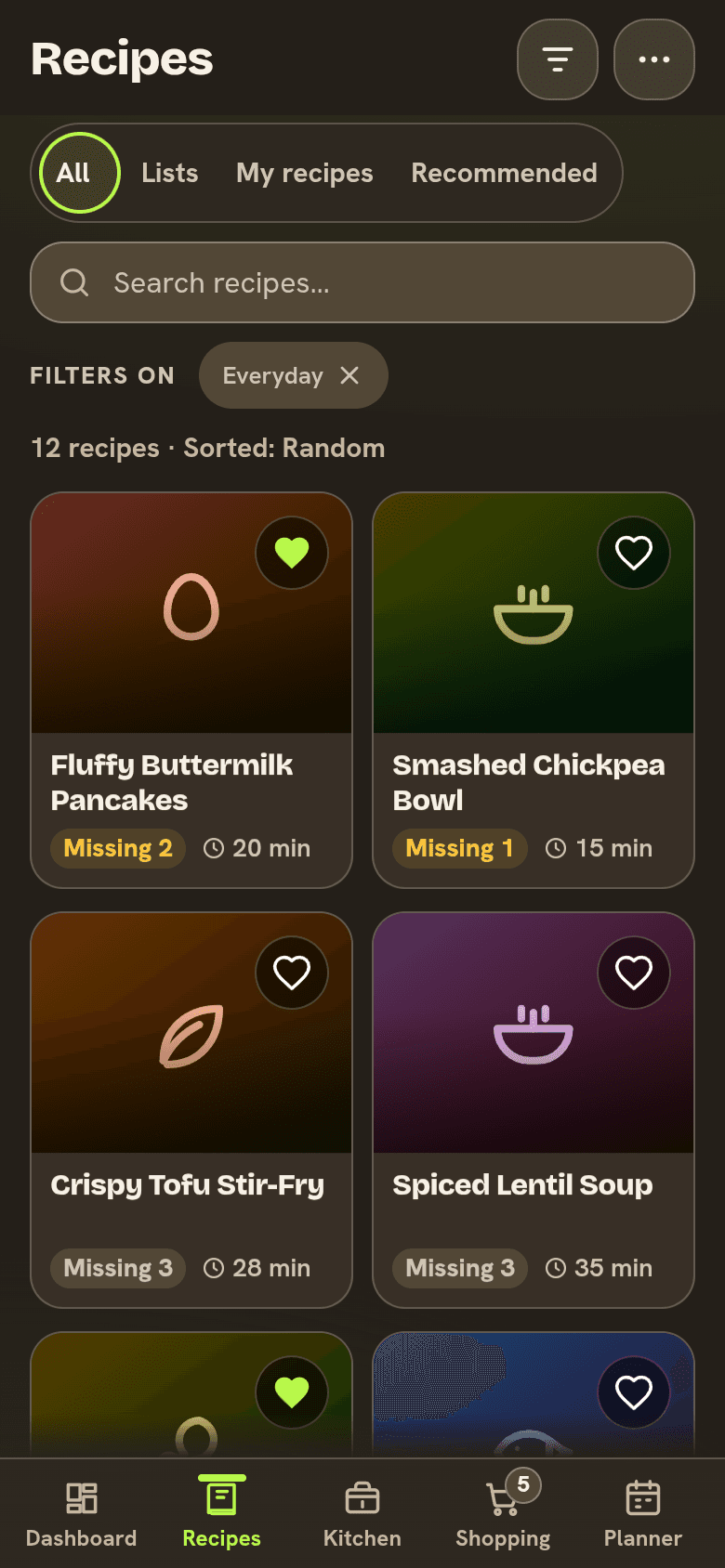
What you get for the move is the kitchen side. Each recipe is matched against your kitchen, so you see "Can make now" or how many items a recipe is missing, and the missing items go to your shopping list in one tap. The free plan holds up to 30 foods in your kitchen; Pro lifts the limit. And if you ever leave, Export in Settings gives you one ZIP file, on Free too.
Where it does not win:
- It moves recipes, not your old meal plans, shopping lists or cooking history.
- It reads ten apps' files. A Living Cookbook or MasterCook file will not open here; Plan to Eat and Recipe Keeper read those.
- Nobody moves the collection for you. CookBook offers that.
- Bringing in many links at once needs Pro.
Have a Paprika or Recipe Keeper export sitting in a folder? Bring it in and see what you can cook tonight. Start the free trial
Plan to Eat: the longest list of file types
Plan to Eat's bulk import help page lists the most formats of any app here, from Paprika and Recipe Keeper HTML to RecipeSage JSON and old MasterCook files. You can import "up to 3,000 recipes in a single file", and once the import starts "you're free to leave the page." Two limits: "PDFs aren't supported for bulk import", and HTML files have to be zipped into one file first. It is $5.95 a month or $49 a year after a 14-day trial with no card, and one account covers your family. Our Plan to Eat alternatives comparison covers the rest of the app.
CookBook: someone else does the moving
CookBook is the one app here that will move a collection for you. Its pricing page says: "Standard assisted imports have no additional fee beyond CookBook Pro. A 14-day Pro trial typically qualifies for a sample of your recipes; the team can move the full collection once you continue on paid Pro. Turnaround is usually 1 to 3 business days." So the honest answer to "how do providers charge for recipe box migration" is that CookBook charges nothing extra, but you need to be paying for Pro, at $6.99 a month or $39.99 a year. The free plan holds 20 recipes, too few for a collection big enough to need moving.
Recipe Keeper: transfers from older recipe software
Recipe Keeper's App Store listing names a long list of apps it can transfer recipes from, including "Living Cookbook, MasterCook, MacGourmet, BigOven, Cook'n, My Cookbook, My Recipe Book, Paprika Recipe Manager, Pepperplate, OrganizEat, Recipe Box and many more." That makes it the best fit for a collection that has lived in desktop recipe software for years. The Pro upgrade is $19.99 on iPhone and iPad, bought once, with a "separate purchase required for other platforms". Our look at what each free recipe keeper allows covers its free limits.
Cozi: moving in, and moving out
Cozi is easy to move into for recipes from the web: its Meal Planner lets you "add a new recipe, either from scratch or by pasting in a URL from your favorite cooking site." Moving out is the hard part, since we found no recipe export in Cozi's FAQ or plan pages. If you are leaving Cozi for a meal planner, budget an evening for the recipes that only exist in Cozi, and see our guide to the family organizer side of Well Stockd for what it does and does not replace.
What a premium family planner with recipe import costs
The second question people ask is what they will pay once they have moved. Here are the yearly prices from each maker's own page, checked November 2026:
| App | What you get | Price |
|---|---|---|
| Cozi Gold | Family calendar, lists, recipes, no ads, month view on phones | $39 a year, whole family |
| Cozi Max | Gold plus an AI meal planner and AI recipe creator | $79 a year |
| Plan to Eat | Recipes, meal planner, shopping list, bulk import | $49 a year, or $5.95 a month |
| CookBook Pro | Unlimited recipes and imports, meal planning, 10 lists | $39.99 a year, or $6.99 a month |
| Recipe Keeper Pro | Recipes, meal planner, shopping list | $19.99 once per platform |
| Paprika 3 | Recipes, meal planner, grocery list, pantry | $4.99 on iPhone and iPad, each platform separate |
| Well Stockd | Recipes, kitchen, planner and list; free plan, with Pro for more | See plans |
How to move a recipe collection without losing anything
Export everything from the old app first, while you still have its full plan. Then import one small category as a test, perhaps the ten recipes you cook most. Check those ten closely: the photo, every amount and unit, the steps in the right order, and any notes you wrote in the margins. If they look right, import the rest.
Only cancel the old subscription after the new app holds everything you need, and keep the export file. If you are leaving Paprika, our Paprika alternatives guide covers what each replacement costs. And once your recipes are cooking from what is in your kitchen, the apps that track food expiration dates are the next step.
Move your recipes in free, then see which ones you can make with what you already have. Start the free trial
Frequently asked questions
How do providers charge for recipe box migration from Cozi or Paprika?
Most charge nothing for the move itself. Well Stockd, Plan to Eat and Recipe Keeper import export files as part of the app. CookBook will move a collection for you at "no additional fee beyond CookBook Pro". From Cozi there is no export file, so recipes come over by link or copy and paste.
How much does a premium family planner app with meal planning and recipe import cost?
From the makers' own pages in November 2026: Cozi Gold is $39 a year and Cozi Max $79, Plan to Eat $49 a year, CookBook Pro $39.99 a year, and Recipe Keeper Pro $19.99 once per platform. Well Stockd has a free plan with unlimited recipes of your own; see its pricing page for Pro.
Can I export my recipes from Cozi?
We found no recipe export in Cozi's FAQ or plan pages. Copy the original link for recipes that came from a website, and copy and paste the text of the ones you typed in yourself.
Will my recipe photos come with me?
Often, but not always. Well Stockd brings each recipe's photo when the export file includes it. Plan to Eat notes that Meal-Master and MasterCook files come in with "no images included."
Can I move my meal plan and shopping list too?
Usually not. The export files these apps read carry recipes, so plan to rebuild your first week's plan and list by hand.
Sources:
- Paprika user guide for iOS
- Paprika Recipe Manager 3 on the App Store
- Plan to Eat help: How to Bulk Import Recipes from Another Program
- Plan to Eat home page and pricing
- CookBook pricing and assisted imports
- Recipe Keeper on the App Store
- Cozi FAQ
- Cozi: Compare plans
- Cozi: Introducing Cozi Meal Planner (February 24, 2025)
- Well Stockd guide: what imports well
Competitor details checked November 3, 2026.