Recipe scanner app: from cookbook page to a recipe you can cook
Which recipe scanner apps read cookbook pages, handwritten cards and PDFs, how many photos a recipe can use, what is free, and what each app does with the recipe afterwards.
A recipe scanner app reads a photo of a cookbook page or recipe card and turns it into a recipe you can edit. Well Stockd is our pick for cooking from the scan with what is in your kitchen. Recipe Keeper is the runner-up for big paper collections.
All six apps here can read a photo. What separates them is everything around the scan: whether a recipe that runs over two pages comes in as one, whether it takes a PDF, how many scans the free version allows, and what you can do with the recipe once it is in. That last part is where the apps differ most, so this guide looks at it as closely as the scanning.
How we compared
We read each app's own website, help pages and App Store listing in November 2026. For each one we noted what it can read (printed pages, handwriting, screenshots, PDFs), how many photos one recipe can use, what the free version allows, what the paid version costs, and what the app does with a recipe after it is saved. We did not run the same recipe card through every app, so accuracy claims below are the makers' own, and every app tells you to check the result.
Recipe scanner apps at a glance
| App | What it reads | Photos per recipe | Free version | Paid |
|---|---|---|---|---|
| Well Stockd | Photos and screenshots; it copies the text it can read | Up to 2 on Free, 10 on Pro | Unlimited recipes of your own; each photo uses the AI allowance | Pro raises the photo limit (plans) |
| Recipe Keeper | Camera, saved photos and PDFs, including handwritten recipes | Not listed | Free to download; the free recipe limit is not stated | Pro upgrade $19.99 on iPhone and iPad, other platforms bought separately |
| CookBook | Cookbook pages, printed recipes, screenshots, handwritten cards and PDF pages | Up to 2 automatic, up to 5 manual | 20 recipes and 20 smart imports | $6.99 a month or $39.99 a year |
| Crouton | Recipe book pages, with AI and text recognition | Not listed | Free with in-app purchases | Crouton Plus $24.99, Apple devices only |
| Mela | Book pages, with text recognition | Not listed | Free to download; a purchase opens every feature | Mela+ $14.99 once on the Mac, Apple devices only |
| Cookpad | Handwritten recipes and cookbook pages, with AI | Not listed | Free, with a cap on imports | Premium adds unlimited imports |
Well Stockd: a scan you can cook from tonight
We make Well Stockd, so weigh our ranking with that in mind. Here is what it does today, and where it falls short.
Open a new recipe, then More ways to import, and choose Import a recipe from photos. Add a photo or a screenshot, or several photos in order for a recipe that runs over more than one page. AI copies the text it can read into a draft with the title, ingredients and steps in their own fields. The app's own guide is blunt about the limits: "It can miss or misread words, so check every line." It is set up to leave a field blank rather than guess at an amount or a step it cannot read. Nothing is saved until you review the draft.
If the recipe is written in another language, it is translated into English, with quantities and units kept as written, and the draft tells you so: "Translated into English from Italian. Check the wording against the original."
The free plan reads up to 2 photos per recipe, enough for a recipe across a two-page spread. Pro reads up to 10. Each photo uses your AI allowance, which is smaller on Free. Recipes you add yourself are unlimited on every plan.
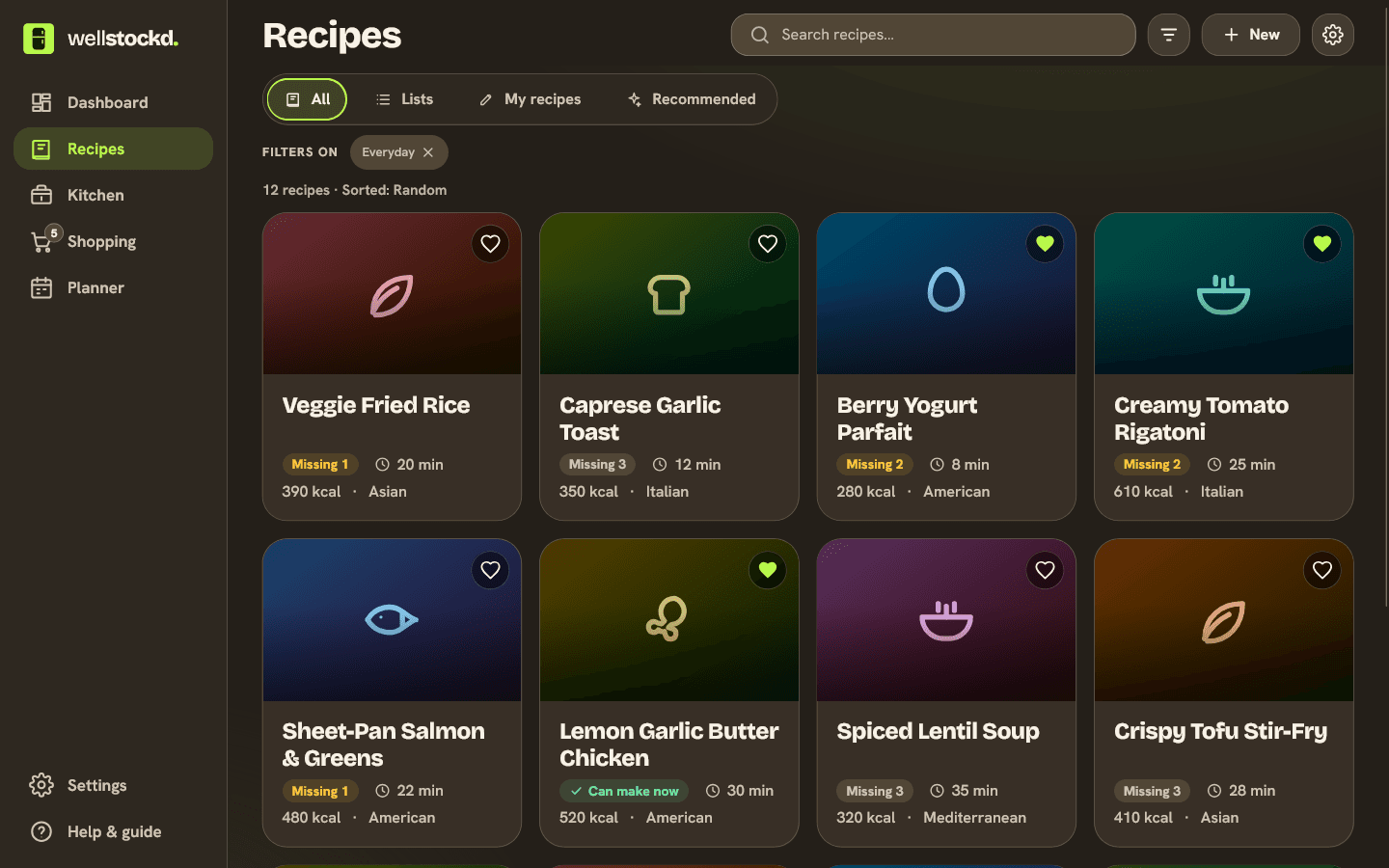
The difference from a plain recipe box is what happens next. Your recipes are matched against your kitchen, so each one shows "Can make now" or how many items it is missing. Open a recipe, choose the servings, and a button such as "Add 3 missing" puts what you lack on your shopping list, skipping anything already there. Then cook mode turns the times in each step into timers you start with a tap. The free plan holds up to 30 foods in your kitchen for that matching; Pro lifts the limit.
Where it does not win:
- It reads images only. A PDF has to come in as a screenshot of each page.
- We do not promise it reads every handwriting. It copies the text it can read, and faded pencil on an old card may need typing in.
- It has no scanning in bulk. Each recipe is its own import, while a file from Paprika, Recipe Keeper or eight other apps comes in as a batch.
- It runs in the browser and installs to your home screen. There is no App Store or Google Play app.
Have a cookbook page you cook from every month? Scan it, then see what you are missing before you shop. Start the free trial
Recipe Keeper: scanning for a big paper collection
Recipe Keeper's App Store listing covers paper and files alike: "Scan recipes using your phone's camera or from your existing photos and PDF files. OCR technology automatically converts images to text." It names cookbooks, magazines and handwritten recipes. PDF support is the main thing it has over Well Stockd here, and it matters if your family recipes already live in scanned files.
Around the scanner, it is a full recipe organizer: web imports, a shopping list grouped by aisle, a weekly and monthly meal planner, printable cookbooks and an Alexa skill. It runs on iPhone, iPad, Android, Windows and Mac. The Pro upgrade is $19.99 on iPhone and iPad, and the listing notes a "separate purchase required for other platforms". The vendor's pages do not say how many recipes the free version holds, so check before you scan a whole box of cards. Our look at what each free recipe keeper allows goes into that cap.
CookBook: a scanner with a manual mode
CookBook has the most detailed scanner instructions of the apps here. Its feature page says you can "scan cookbook pages, printed recipes, screenshots or handwritten cards", and it gives you two ways in: "Choose Automatic for a prepared preview, or Manual to select the text regions yourself." Automatic takes up to 2 images and Manual up to 5, including selected PDF pages. Manual is the one to reach for when a page is laid out in two columns, since you choose each region yourself.
The free plan holds 20 recipes and 20 smart imports. Pro is $6.99 a month or $39.99 a year, with a 14-day trial on the yearly plan, and one plan works on iPhone, iPad, Android and the web.
Crouton and Mela: scanning on Apple devices
Crouton's App Store listing says you can "scan recipes straight out of your recipe book using AI and OCR" and "import a recipe from a single photo with no manual entry required." It runs on iPhone, iPad, Mac, Apple Vision and Apple Watch, and is free with in-app purchases, including Crouton Plus at $24.99. The listing does not say which import tools need a purchase.
Mela's home page puts it simply: "Scan a recipe from a book. With the help of text recognition, you can just add it to your personal collection." On the Mac it is free to download, and a one-time $14.99 purchase gets you every feature. Neither app runs on Android or Windows.
Cookpad: scanning inside a recipe community
Cookpad is best known for recipes shared by home cooks, but its App Store listing also says: "Snap a photo of a handwritten recipe or cookbook page: AI turns it into a digital recipe." The free version is ad-free, and Premium adds "Import unlimited recipes", which tells you the free version caps imports. It suits people who also want to browse other cooks' recipes. We checked the iPhone listing.
Which recipe scanner app should you pick
| If you want | Pick |
|---|---|
| To cook from the scan and shop for what is missing | Well Stockd |
| To scan PDFs and a big box of family cards, paying once | Recipe Keeper |
| Control over which part of the page is read | CookBook's Manual mode |
| An Apple-only app with timers and iCloud sync | Crouton or Mela |
| Scanning plus a community of home cooks | Cookpad |
How to get a clean scan
Every app on this list reads better from a better photo. Lay the page flat, in even light, with no shadow from your phone across the text. Fill the frame with the recipe and nothing else.
If a recipe runs over two pages, add the photos in order. Well Stockd and CookBook both say this matters, and it is easy to get wrong with a phone camera roll.
Then check the result against the page before you save. CookBook's own guide lists what to look at: "Review fractions, units, servings and temperatures before saving." A "1/2" read as "12" is the kind of slip that ruins a cake.
Once the recipes are in, they need a home that stays tidy; our guide on a simple way to organize recipes covers that. For recipes that live in social captions rather than on paper, see saving recipes from Instagram. And if the food in your fridge is the part that goes to waste, start with the apps that track food expiration dates.
Scan your most-cooked recipe and see what you can make with what you already have. Start the free trial
Frequently asked questions
What is the best recipe scanner app?
For cooking from the scan, Well Stockd, because a scanned recipe is matched against your kitchen and the missing items go to your list. For a large paper collection that includes PDFs, Recipe Keeper, which scans from the camera, saved photos and PDF files and sells Pro as a one-time upgrade.
Can a recipe app read handwritten recipe cards?
Recipe Keeper, CookBook and Cookpad all say they read handwritten recipes. Well Stockd copies the text it can read and leaves the rest blank. With any app, keep the original card and check every amount. As CookBook's own FAQ puts it, "Handwriting varies."
Is there a free recipe scanner app?
Yes. Well Stockd reads up to 2 photos per recipe on its free plan, with unlimited recipes of your own. CookBook's free plan includes 20 smart imports and 20 recipes. Recipe Keeper and Crouton are free to download, with paid upgrades.
Can I scan a recipe from a PDF?
Recipe Keeper and CookBook both read PDF files. Well Stockd reads images only, so take a screenshot of each PDF page and import those.
Can a recipe scanner translate a recipe?
Well Stockd translates a recipe written in another language into English as it reads it, and says so on the draft. CookBook has a translation option in its recipe editor after you save a scan.
Sources:
- Well Stockd guide: what imports well
- Recipe Keeper on the App Store
- Recipe Keeper home page
- CookBook recipe scanner
- CookBook pricing
- Crouton on the App Store
- Crouton home page
- Mela home page
- Mela on the Mac App Store
- Cookpad Recipes on the App Store
Competitor details checked November 3, 2026.