The pantry inventory spreadsheet template that actually works
A pantry inventory spreadsheet needs eight columns and one 20-minute setup session, nothing more. Here is the layout to copy, a shelf-life reference table, and what keeps it from going stale.
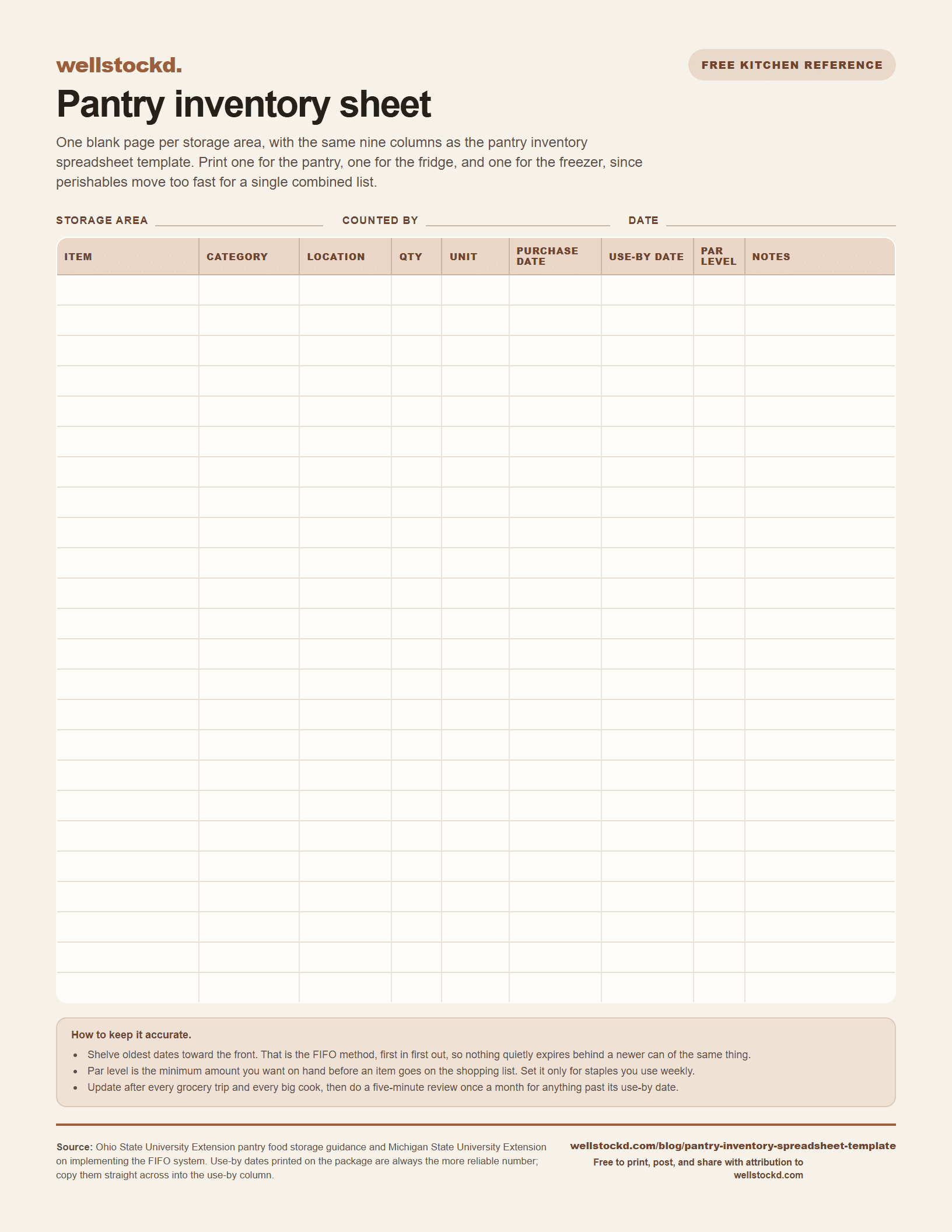
Print or download the pantry inventory sheet
Use the clean print layout below, download the free letter-size PDF and high-resolution PNG, or take the same layout as a spreadsheet. No email address is required.
Free to print, post, and share with attribution to wellstockd.com.
The fastest way to build a pantry inventory spreadsheet is five columns: item, category, quantity, purchase date, and use-by date, split across separate tabs for pantry, fridge, and freezer. Fill it in during one 20-minute walkthrough of your shelves, then update it in under a minute each time you shop or cook.
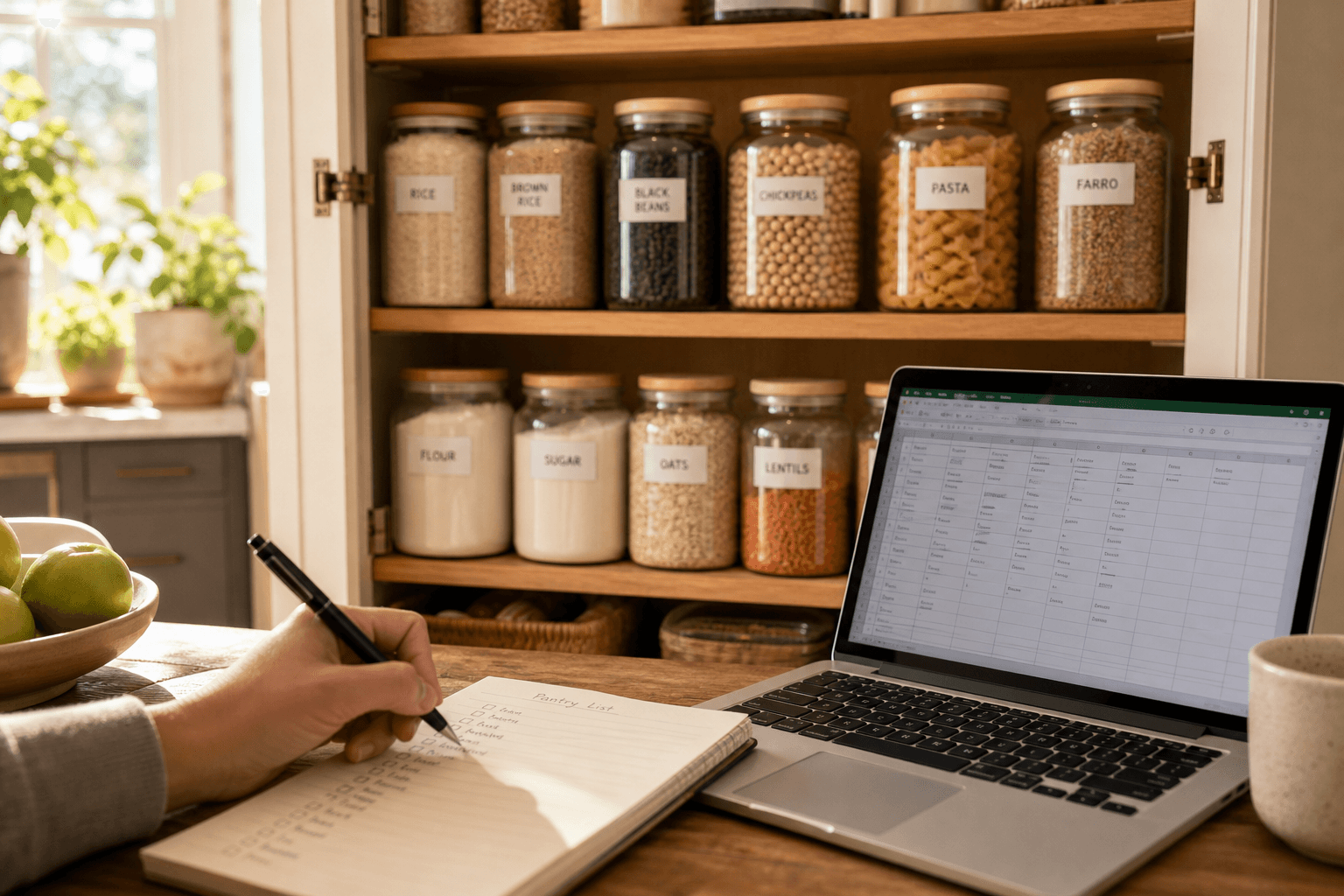
A spreadsheet will not organize your shelves for you. What it will do is finally answer the questions that send you digging through cabinets: do you already have canned tomatoes, how old is that bag of rice, what needs to get used up before it goes to waste. Here is a layout you can copy today, plus the setup steps that keep it from turning into another abandoned Google Sheet.
This is one piece of a bigger habit. If you are building your tracking system from the ground up, our full guide to how to keep a kitchen inventory covers the whole approach, and how to keep track of pantry inventory goes deeper on the habits that keep any system accurate over time.
What should a pantry inventory spreadsheet include
Keep the column list short. The shorter it is, the more likely you are to keep filling it in. The essentials:
- Item name, specific ("black beans, canned," not just "beans")
- Category: canned goods, grains, baking, oils, snacks, spices
- Location: which shelf, cabinet, or bin, if your pantry is bigger than one small closet
- Quantity and unit: 3 cans, 1 five-pound bag, 2 bottles
- Purchase date: when it came into the house
- Use-by or best-by date: copied straight off the package
- Par level: the minimum amount you want on hand before it goes on the shopping list
- Notes: opened, half-used, allergy substitute, whatever matters to your household
Everything past those eight columns is optional. Supplier names and SKUs belong on a restaurant inventory sheet, not a home one. Extra columns are the number one reason people quit updating their spreadsheet after the second week.
How to set up a pantry inventory spreadsheet, step by step
- Pick your tool. Google Sheets or Excel both work; see the comparison below if you are torn.
- Create one tab per storage area. Pantry, fridge, freezer, at minimum. Perishables move too fast for a single combined list, which is why we cover fridge items separately in how to keep track of food in your fridge.
- Do one full physical count. Pull everything off the shelf, wipe it down, and enter it. This is the only slow step, and it only happens once.
- Sort as you shelve items back. Group like with like, oldest dates toward the front. This is the FIFO method (first in, first out): the item you bought first is the one you reach for first, so nothing quietly expires behind a newer can of the same thing.
- Set a par level for staples you always want on hand. Rice, canned tomatoes, oil, whatever your household cooks with weekly.
- Add a formula or filter to flag low stock. In Google Sheets, conditional formatting that highlights any row where quantity falls below par level takes about two minutes to set up.
- Update after every grocery trip and every big cook. Subtract what you use, add what you buy. Five minutes, done.
- Do a five-minute review once a month. Check for anything past its use-by date and anything sitting untouched for months, and use it up or toss it.
A simple pantry inventory spreadsheet layout you can copy
| Item | Category | Location | Quantity | Unit | Purchase date | Use-by date | Par level | Notes |
|---|---|---|---|---|---|---|---|---|
| Black beans, canned | Canned goods | Shelf 2 | 4 | cans | 7/1/2026 | 7/1/2028 | 6 | - |
| Jasmine rice | Grains | Shelf 1 | 1 | 5 lb bag | 6/15/2026 | 6/15/2028 | 1 | opened |
| Olive oil | Oils | Shelf 3 | 1 | bottle | 5/10/2026 | 11/10/2026 | 1 | - |
| Chicken thighs | Freezer, meat | Freezer drawer 2 | 2 | 1 lb bags | 7/5/2026 | 1/5/2027 | 2 | for tacos |
| All-purpose flour | Baking | Shelf 1 | 1 | 5 lb bag | 4/2/2026 | 12/2/2026 | 1 | - |
Duplicate that row for every item, then sort by category so your shopping list practically writes itself.
If you would rather not build it from scratch, that exact layout is a free download at the top of this page. The same idea for recipes lives in a recipe book in Google Docs. The .xlsx file opens straight in Excel and imports into Google Sheets with File then Import, there is a .csv version if your tool prefers plain text, and there is a printable PDF of the same sheet if you want to fill it in by hand first.
How long do pantry staples really last
Copy the use-by date off the package where there is one. When a box does not have one, this general guide from Ohio State University Extension works well as a default for your spreadsheet's use-by column, assuming normal room-temperature storage.
One caveat before you treat any of those dates as a deadline. Except on infant formula, a "best if used by" or "use by" date is a quality date rather than a safety date, and USDA is more generous than the table below on cans: high-acid cans like tomatoes and fruit keep their best quality for 12 to 18 months, low-acid cans like meat and vegetables for two to five years. Treat the use-by column as a prompt to check rather than a date to throw food out on, and store the shelf-stable half of your pantry below 85°F, away from the stove and out of a damp basement, because storage temperature moves these numbers more than the printed date does.
| Staple | Typical shelf life, unopened |
|---|---|
| White rice | 2 years |
| Pasta | 2 years |
| White or whole wheat flour | 6 to 8 months |
| Granulated sugar | 2 years |
| Brown sugar | 4 months |
| Canned vegetables, fruit, or meat | 12 months |
| Dried beans or peas | 12 months |
| Peanut butter | 6 to 9 months |
| Cooking oil | 6 months |
| Ready-to-eat cereal | 6 to 12 months |
| Crackers | 3 months |
| Ground spices | 6 months |
| Whole spices and herbs | 1 to 2 years |
| Coffee | 2 years |
Once you open a package, most of these times shrink, so treat the notes column as your reminder to check quality sooner.
Google Sheets or Excel: which should you use
Google Sheets is the better default for most households. It is free, syncs automatically, and you can pull it up on your phone in the grocery aisle to check whether you already have olive oil before you buy a second bottle. Excel makes sense if you already live in it for other budgeting or meal-planning work, want offline access, or plan to build out pivot tables for a large household or a stocked-up pantry with hundreds of line items. Either one does the job; the spreadsheet that gets updated beats the one with fancier formulas.
When a spreadsheet stops keeping up
A spreadsheet works well right up until a busy week happens: you get home from the store and unpack groceries without logging them, or you cook dinner and forget to subtract what you used. That is normal. Manual data entry breaks down over time no matter how organized you are.
If you would rather have an app keep the inventory, that is exactly what an app like Well Stockd is for: you log what you buy, and cook mode ends with a review step that deducts what you used. Our breakdown of the best pantry inventory apps walks through what to look for if you decide a spreadsheet is not the long-term answer for your kitchen.
Par levels are a planning problem, not a spreadsheet problem
The par level column is really you asking a planning question in a spreadsheet: what should be in this kitchen next week. A sheet can flag the gap, but you still have to work out the meals, then cross-reference them against your own rows by hand.
The planner does that step for you. You plan Monday to Sunday against what is already on the shelf, the matching picks the recipes you can actually cook, and the shopping list writes itself from what is missing. Household sync puts the same plan and the same inventory on every phone in the house, so the person who shops sees what the person who cooks planned. Both are Pro, $7.99 a month or $79 a year, with a 7-day trial that starts as soon as you confirm your email, no card needed.
Plan next week from what is already on your shelves. Free for 7 days, no card needed. Start the free trial
Frequently asked questions
How often should I update my pantry inventory spreadsheet? After every grocery trip and after any cooking session that uses up several ingredients at once. A monthly five-minute review to catch anything expired or forgotten rounds it out.
Do I really need a separate tab for the freezer? Yes, if you keep more than a handful of items in it. Freezer contents change less by date and more by "how long has this really been in here," so a dedicated tab with a purchase date column saves you from mystery bags later.
What is a par level and do I need one? A par level is the minimum quantity of an item you want on hand before it triggers a restock. You only need it for staples you use often enough to run out of, like rice or canned tomatoes. Skip it for items you buy occasionally.
Sources: USDA FSIS, Food Product Dating; USDA FSIS, Shelf-Stable Food Safety; Ohio State University Extension, pantry food storage; Michigan State University Extension, implementing the FIFO system.